Learn how to optimize Google Business Profile for barber shops with steps, photos, reviews, and bookings to appear on Maps and get more appointments.
Si una barbería en México sigue dependiendo de que la gente la “descubra” por casualidad, está perdiendo reservas cada semana. Hoy, el perfil de Google no es un extra, es la primera pantalla que decide si alguien llama, pide ruta o se va con otro local de la cuadra. En un mercado donde existen 20,340 barberías registradas y 95.46% son de un solo dueño, la pelea real ocurre a nivel de sucursal y de colonia, no de marca nacional, y la competencia local sigue creciendo con un alza de 6.50% entre 2023 y 2025 (dato de mercado local en barberías de México).
Eso cambia la lógica completa. Una barbería no necesita “verse bonita” en Google, necesita funcionar como una landing local que convierta búsquedas de “cerca de mí” en reservas, mensajes de WhatsApp y visitas reales. Lo mismo le pasa a una cafetería de esquina o a un salón de belleza con flujo de paso, si su ficha está incompleta, el cliente compara, duda y se mueve al siguiente resultado.
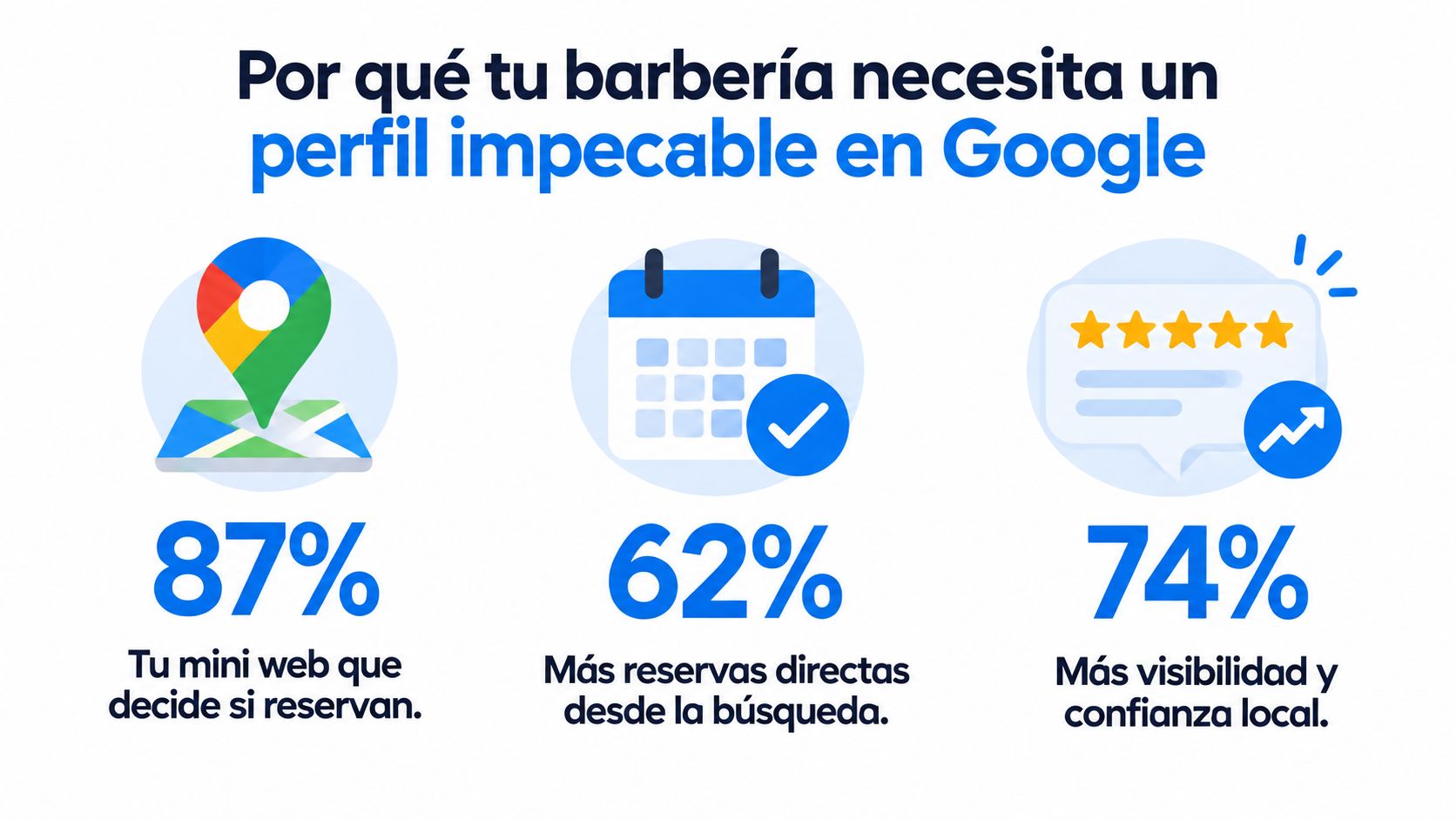
La meta aquí no es “salir en Maps”. La meta es convertir el perfil en un sistema de adquisición local medible, donde cada ajuste tenga un efecto claro sobre llamadas, clics, rutas y citas. Para empezar desde cero sin gastar presupuesto, conviene revisar una ruta base como por dónde empezar en marketing sin presupuesto, pero en barberías el orden correcto siempre es el mismo, perfil impecable primero, contenido después, medición al final.
Por qué tu barbería necesita un perfil impecable en Google
Un cliente busca una barbería cerca, compara dos fichas y decide en menos de un minuto. La que muestra horarios confiables, ubicación clara, servicios, fotos recientes y una vía directa para reservar parte con ventaja. La otra obliga a preguntar, esperar o salir del mapa.
La pelea ocurre por cercanía y confianza
En barberías, la decisión depende de disponibilidad, distancia y señales visibles de confianza. Cada ficha compite por la demanda de su colonia y debe responder a una necesidad inmediata, como cortar cabello, arreglar barba o conseguir una cita para hoy. La marca ayuda, pero el perfil local activa la visita cuando el cliente ya está buscando.
El benchmark 2026 de perfiles de negocio muestra una diferencia clara entre categorías. “Barber shop” registra una mediana de 92 reseñas, un 29.4% sin sitio web y un 7.0% con cero reseñas, mientras “Mexican” alcanza 2,958 reseñas medianas (benchmark 2026 de perfiles de negocio). La lectura práctica es directa: una barbería puede ganar terreno con información completa y prueba social constante, porque compite en un entorno más acotado y local.
Regla práctica: la ficha debe responder quién eres, dónde estás, cuándo abres y por qué confiar. Si falla una de esas respuestas, aumenta la fricción antes de la reserva.
Cada visita al perfil debe llevar a una acción
El perfil funciona como una landing local que convierte búsquedas cercanas en llamadas, mensajes de WhatsApp, solicitudes de ruta y citas. Google permite revisar vistas, clics e interacciones desde Performance o Insights, por lo que el dueño puede relacionar los cambios del perfil con acciones concretas.
En una barbería de un solo dueño, esa medición debe alimentar un sistema sencillo: identificar qué canal generó el contacto, registrar la oportunidad en el CRM de Swirvle y comprobar si terminó en cita. Así, actualizar horarios, servicios o fotografías deja de ser una tarea aislada y se convierte en una decisión basada en reservas.
La ficha también debe reducir preguntas repetidas. Horarios especiales, ubicación exacta, servicios disponibles y una ruta clara hacia WhatsApp ayudan al cliente a decidir sin esperar respuesta del propietario.
La meta es construir un sistema de adquisición local medible. Para ordenar las primeras acciones sin presupuesto, revisa esta guía sobre por dónde empezar en marketing sin presupuesto. En una barbería, el orden recomendado es información confiable, señales de confianza, contenido útil y seguimiento de cada cita.
Creación y verificación sin duplicar tu ficha
Antes de tocar nada, revisa si tu barbería ya aparece en Maps. Reclama esa ficha, verifica la propiedad y conserva una sola entidad para el negocio. Duplicar perfiles divide reseñas, confunde a Google y vuelve inconsistente el control de horarios, teléfono y ubicación. Para una barbería pequeña, también fragmenta la prueba social que puede impulsar una reserva o un mensaje por WhatsApp.
Reclamación correcta desde Maps o alta desde cero
Si la barbería ya aparece en Google Maps, abre el perfil existente y usa “Reclamar esta empresa” o “Gestionar ahora”. Si no existe, créalo desde business.google.com/add. Revisar primero el mapa evita que alguien del equipo abra un perfil nuevo y deje dos fichas casi idénticas.
Google exige una cuenta de Google para registrarse en un Perfil de Negocio, y solo los negocios elegibles pueden crear uno (requisitos de elegibilidad y cuenta). En una operación de un solo dueño, define desde el inicio quién tendrá acceso y quién actualizará horarios, teléfono y ubicación. Sin ese control, la ficha queda expuesta a cambios incorrectos o periodos de abandono.
Completa la verificación antes de publicar cambios importantes. Guarda el acceso en un lugar controlado y evita que cada empleado cree su propio perfil. Una ficha bien administrada concentra reseñas, consultas y señales de conversión en el mismo registro, lo que facilita relacionar el contacto con una cita en el CRM de Swirvle.
La regla de entidad única
Usa el nombre exacto del letrero, la dirección precisa, el horario actualizado y una sola ficha por negocio. Google recomienda evitar duplicados y variaciones del nombre que dificulten la visualización en Maps y Search. La categoría principal también debe describir el negocio de forma específica, como explica esta guía técnica para barbershops y GBP.
Una barbería con una sola sucursal gana con claridad, no con más presencia.
La auditoría NAP, nombre, dirección y teléfono, debe mostrar los mismos datos en la web y en los directorios donde aparezca el negocio. Si un registro dice “Barbería El Corte” y otro “El Corte Barber Shop”, Google puede recibir señales inconsistentes. Ese ruido dificulta que el cliente confirme que encontró el lugar correcto y puede afectar el seguimiento de cada contacto.
Checklist operativo para no duplicar
Buscar primero en Maps: confirma si el negocio ya existe antes de crear algo nuevo.
Reclamar la ficha correcta: toma control del perfil que concentra reseñas y ubicación.
Verificar propiedad: completa la validación sin abrir una segunda ficha.
Unificar datos NAP: mantén iguales nombre, dirección y teléfono en todos los registros.
Cerrar variantes internas: impide que el equipo publique perfiles paralelos por sucursal o turno.
Si la barbería atiende a domicilio o cubre una zona, configura el tipo de negocio que corresponde. La orientación oficial de Google para negocios locales distingue entre negocios con ubicación física y negocios por área de servicio. Elegir la opción correcta mantiene la ficha alineada con la operación real y evita confusión en las solicitudes de ruta, llamadas y reservas.
Categoría atributos y servicios que Google sí entiende
La categoría principal de tu ficha debe ser Barber Shop, sin variantes. Después, completa servicios, atributos y horarios con información que coincida con la operación real. Esa estructura ayuda a que Google relacione el perfil con búsquedas de cortes, grooming masculino y atención cercana, y permite medir qué consultas terminan en llamadas, WhatsApp o reservas registradas en tu CRM Swirvle.
Barber Shop como categoría principal, no como adorno
Para una barbería, Barber Shop debe ser la categoría principal. Una guía especializada para el sector la recomienda junto con completar servicios, fotos y enlace de reservas. La elección es precisa: diferencia la ficha de un salón de belleza y la conecta con una intención de búsqueda específica.
Usar una categoría más amplia diluye esa señal. El perfil debe describir el negocio que el cliente encontrará al llegar, no una versión genérica pensada para abarcar más consultas. Google evalúa el contexto completo de la ficha, desde la categoría hasta los servicios y la ubicación, para decidir cuándo mostrarla.
Servicios reales, atributos útiles y horarios sin fricción
La descripción del negocio debe ser natural y concreta. Incluye corte clásico, degradado, arreglo de barba, cita previa, atención rápida o servicio para walk-in, si realmente los ofreces. Cada servicio debe coincidir con una acción que el cliente pueda solicitar y que luego puedas rastrear como reserva, mensaje o llamada.
Activa atributos que ayuden a filtrar, como cita previa, accesibilidad o métodos de atención, siempre que sean verdaderos. Mantén actualizados el horario normal y el especial, sobre todo durante festivos. Un “open now” incorrecto lleva al cliente a una puerta cerrada y rompe la confianza antes de que exista la oportunidad de reservar.
Práctico y directo: si el horario cambia en fines de semana, feriados o por colonia, actualízalo de inmediato en la ficha. Un dato incorrecto cuesta más que una foto mediocre.
Cómo escribir servicios sin sonar genérico
Un servicio bien escrito explica qué recibe el cliente y qué resultado puede esperar. “Corte de cabello masculino con degradado” comunica mejor que “servicio de belleza” porque especifica la técnica, el público y la intención de búsqueda. Esa precisión ayuda a Google a relacionar el perfil con consultas concretas y permite comparar qué servicio genera más contactos en Swirvle.
Evita repetir palabras clave sin contexto. La ficha debe responder rápido a la pregunta del usuario: qué haces, para quién y bajo qué modalidad. “Arreglo de barba con perfilado y cita previa”, por ejemplo, aporta más información operativa que una lista de términos aislados.
En una barbería, esa claridad reduce el espacio entre la búsqueda y la reserva. El cliente suele buscar una solución para hoy, así que servicios entendibles, atributos verdaderos y horarios confiables convierten la visibilidad local en una acción medible.
Fotos publicaciones y ofertas que mantienen tu perfil vivo
Sube entre 20 y 30 fotos de calidad y añade 2 o 3 nuevas por semana. Ese ritmo mantiene la ficha activa y le muestra a Google que la barbería sigue operando con regularidad.

Qué fotos subir para que el perfil se vea operativo
La barbería necesita imágenes que prueben trabajo real. Fachada, estaciones de corte, herramientas limpias, equipo en acción y resultados antes y después, con permiso del cliente, son las piezas que sí ayudan. Las guías especializadas para barbershops recomiendan ese volumen de fotos y esa cadencia para sostener una señal continua de actividad.
No uses imágenes oscuras, borrosas ni de stock. Una foto mala debilita la confianza más rápido que una ficha incompleta. La barbería tiene que mostrar precisión, orden y consistencia en cada imagen.
Publicar sin convertir la ficha en un feed social
Publica con intención comercial. Una barbería puede anunciar una oferta de temporada, un servicio nuevo o un aviso breve sobre agenda, y dirigir ese interés a una reserva o a WhatsApp. Si la publicación no empuja una acción, solo ocupa espacio.
Un calendario útil puede verse así.
Lunes: novedad de servicio o disponibilidad de agenda.
Miércoles: foto real de un corte o barba bien ejecutado.
Viernes: promoción puntual o recordatorio de reserva.
Fin de semana: horario especial o aviso de alta demanda.
Si vas a usar una oferta temporal, ponle lógica y seguimiento. Una referencia útil es cómo crear cupones inteligentes para mi tienda, porque la idea correcta es llevar ese incentivo a reservas o visitas recurrentes, no lanzar descuentos sin control.
El error que más se repite
La ficha pierde fuerza cuando se trata como un directorio estático. Un perfil sin fotos recientes, sin publicaciones y sin interacción deja una señal clara de abandono. Google lee continuidad, y el cliente también.
Si el último contenido parece viejo, la atención también se percibe vieja.
Cada publicación debe terminar en una acción concreta. Una llamada, una reserva o un mensaje. Si no mueve a nadie, no está haciendo su trabajo.
Reseñas y preguntas que convierten búsquedas en visitas
Pide la reseña siempre en el mismo momento del flujo, justo al cerrar el corte o al enviar el resumen por mensaje. Si lo dejas a la memoria del barbero, el sistema se rompe. La barbería necesita una rutina fija, no buena intención.
Pedir reseñas sin sonar insistente
La mejor práctica es simple, el cliente satisfecho recibe el enlace de reseña con un texto corto, cordial y directo, cuando la experiencia sigue fresca. Ese pedido debe salir siempre desde el mismo punto del proceso. Así conviertes una buena visita en prueba social utilizable.
La consistencia pesa más que la antigüedad de la ficha. Una barbería que pide reseñas con método, responde rápido y mantiene activo el perfil termina acumulando señales que el usuario sí ve antes de reservar. Si la competencia depende de recuerdos sueltos, tú operas un flujo.
Responder reseñas y Q&A con control
Las respuestas tienen que salir rápido, tanto a elogios como a quejas. Si contestas tarde, el perfil transmite desorden. Si contestas con frases genéricas, pierdes autoridad. Usa un tono humano, menciona la zona solo cuando aporte contexto y resuelve el problema sin rodeos.
La sección de Preguntas y Respuestas merece el mismo cuidado. Conviene sembrar dudas frecuentes sobre precios, duración del corte o si aceptan walk-in, para que no queden en manos de terceros con respuestas incompletas. Una barbería no debería dejar esa parte al azar, porque una mala respuesta puede frenar una reserva antes de que el cliente escriba.
Para ver cómo otras marcas cuidan la prueba social visible, revisa San Antonio plastic surgery testimonials. El rubro cambia, pero la disciplina para ordenar testimonios y respuestas sirve igual.
Qué hace ganar clics de verdad
Las reseñas ganan cuando hablan de lo que sí decide una visita, trato, puntualidad, limpieza y facilidad para reservar. El cliente no lee estrellas por deporte, las usa para reducir riesgo. Si ve señales claras de atención y orden, avanza más rápido hacia WhatsApp o reserva.
Las preguntas bien trabajadas también quitan fricción. Cada respuesta útil reduce dudas repetidas y evita que el dueño pierda tiempo contestando lo mismo una y otra vez. En una barbería de un solo dueño, eso importa mucho porque cada minuto ahorrado se puede convertir en atención o cierre de cita.
En la práctica, pedir, responder y moderar reseñas forma parte de la adquisición. Cuando esa rutina está integrada al flujo de atención, baja la fricción y empuja la reserva.
Reservas medición y conexión con Swirvle para no perder ni una cita
Revisa Performance o Insights una vez al mes y anota vistas, llamadas, clics y solicitudes de ruta. Esa rutina convierte la ficha en un canal de adquisición medible. Si el tráfico local llega a mensajes dispersos y seguimientos manuales, una barbería de un solo dueño pierde oportunidades que después no puede recuperar.
Botones de contacto y tipo de operación
Configura la ficha para activar la acción que más rápido lleva a una cita: llamada, ruta, mensajes o enlace de reserva, según la operación real. Si trabajas desde un local fijo, revisa que la dirección sea exacta. Si también atiendes por zona de servicio, separa esa cobertura de la ubicación pública y define ambas opciones con cuidado, como ya se explicó en la verificación.
La medición empieza después del clic. Registra qué acciones generan contactos y qué contactos terminan en una reserva. Así puedes comparar días, horarios y contenidos con un criterio comercial, en lugar de evaluar el perfil por intuición.
Medición real y seguimiento comercial
Una visita desde Maps vale poco si nadie sabe qué ocurrió después. Registra el origen del contacto, el servicio consultado, el horario solicitado y el resultado, reserva, seguimiento pendiente o cliente que no respondió. Con esa información sabrás qué zonas convierten mejor, qué horarios provocan más solicitudes y qué contenido impulsa llamadas o mensajes.
Swirvle puede centralizar esos contactos y organizar segmentos por sucursal y hábitos de visita, además de automatizar campañas por WhatsApp y email desde una base operativa. Consulta el CRM para barbería para conectar la llegada desde Google con seguimiento, recompra y retorno. En una barbería pequeña, cada lead debe tener responsable, próxima acción y estado visible.
Rutina mensual que sí sirve
Revisar ficha: confirmar nombre, dirección, teléfono y horario.
Leer métricas: comparar vistas, llamadas, rutas y clics con el mes anterior.
Ordenar reseñas: responder pendientes y detectar fricciones que se repiten.
Actualizar contenido: publicar fotos nuevas y una actualización útil.
Ajustar seguimiento: incorporar cada contacto a una base central para reactivación.
Medir reservas: relacionar cada cita con su origen y resultado.
Una ficha rentable depende del sistema de seguimiento que se arma alrededor. La barbería deja de publicar por costumbre y empieza a decidir con datos: qué acción atrae clientes, cuál genera reservas y dónde conviene invertir tiempo.
Si ya existe tráfico, pero el dueño no sabe qué sucede después del clic, Swirvle ayuda a centralizar clientes, sucursales, mensajes y campañas. Así cada visita desde Google puede entrar en seguimiento, activar WhatsApp y alimentar una base útil para repetir reservas y recuperar clientes del barrio.
Related Blogs

Sep 14, 2026
How to optimize Google Business Profile for barber shops

Sep 13, 2026
El mejor software de retención de clientes para cafeterías

Sep 12, 2026
Cómo optimizar Google Business Profile para restaurantes

Sep 11, 2026
Cómo optimizar Google Business Profile para cafeterías

Sep 10, 2026
Mejor programa de lealtad para negocios en latinoamérica

Sep 9, 2026
¿Cómo aumentar ventas recurrentes? Guía para pymes físicas
Try Swirvle for free
No card required · 30 days free
Start your free trial