
What fields a sales log should have, a printable template with a coffee shop example, and when to transition from Excel to a point of sale system.
Quick answer: A sales record is the ordered list of every sale in your business: date and time, product, quantity, price, payment method, channel, and, if you track it, the customer. To create one, define those fields, record every transaction on the spot, and balance the total against the register at the close of the day. This way, you know what is selling, how much, and to whom.
A useful sales record is not just a list of receipts: it is the control center where you map out every transaction to know what you sold, to whom, through which channel, how you were paid, and what impact it had on cash flow and inventory. When this record is well-designed, it stops serving only to "keep score" and starts helping you detect profitable products, returning customers, and operational errors before they become costly.
Printable sales record template + coffee shop example (first look)
Print or copy this template and use it today. The minimum fields prevent closing the register from becoming a puzzle.
Fields to print (check each one when setting up your sheet)
Field | Required? | Quick Notes |
|---|---|---|
Date and time | Yes | Fixed format: DD/MM/YYYY HH:MM |
Folio / ID | Yes | Consecutive number of the day (VTA-001…) |
Product or service | Yes | Name from catalog, not free text |
SKU | Recommended | Avoids "Americano" vs "Amer." |
Quantity | Yes | Whole numbers; broken-down combos |
Channel | Yes | Counter / WhatsApp / IG / Tel |
Payment method | Yes | Cash / card / transfer |
Total amount (MXN) | Yes | With cents if applicable |
Customer (ID or name) | If repeat purchase | Key for loyalty |
Salesperson | Yes | Closing and commissions |
Status | Yes | Paid / canceled / return |
Observations | Optional | Short: "no cream", "on hold" |
Completed example: a day at a coffee shop (Monterrey)
Folio | Time | Product | Channel | Payment | Total | Customer | Salesperson |
|---|---|---|---|---|---|---|---|
VTA-01 | 07:12 | Americano 12 oz | Counter | Cash | $45 | — | Ana |
VTA-02 | 07:18 | Oat latte + muffin | Counter | Card | $118 | C-042 | Ana |
VTA-03 | 07:41 | Office combo (sandwich+coffee) ×3 | Transfer | $297 | North Office | Luis | |
VTA-04 | 08:05 | Cappuccino 16 oz | Counter | Cash | $65 | C-018 | Ana |
VTA-05 | 08:22 | Muffin return (cold) | Counter | Card | -$38 | C-042 | Ana |
Partial close 8:30 | Cash $110 · Card $145 · Transfer $297 | $552 |
At noon, add it up again: cash in register vs "Cash" rows, and average ticket = total / net tickets (without returns). With 40 tickets/day at a $95 average, you are already at ~$3,800 MXN in gross sales; the record tells you where it came from (channel and product), not just the total.
Decision tree: Excel or POS?
Rule of thumb: if closing the register takes you more than 20 minutes or there are cash discrepancies more than twice a week, your current format is already costing you money.
How we evaluate what a useful sales record should include
To update this guide, we did not start with a generic template. We defined the fields and examples using three specific editorial criteria: first, what data a SMB needs to close the register and identify discrepancies; second, what information allows for the analysis of retention, average ticket size, and high-turnover products; and third, how easy it is to capture that data without slowing down daily operations.
We took small and medium-sized businesses in Mexico with frequent sales and simple operational records as our reference: coffee shops, barbershops, salons, car washes, and businesses with counter service and messaging customer support. In my review, the pattern repeats: records fail less due to a lack of software and more because of poor design. If you do not define consistent names, payment methods, channels, and the person responsible for the sale, you won't be able to compare weeks, reconcile receipts, or know which customer actually returned.
We also left out fields that sound sophisticated but do not add value in early stages. A business with few daily transactions does not need a complex dashboard; it needs to accurately capture the date, concept, amount, payment method, customer (when applicable), and channel. A poorly designed record becomes insufficient when it fails to answer basic questions at the end of the day: how much came in, what sold the most, what is pending collection, and which sales did not lower inventory.
Why your sales record is the engine of your business
A sales record is the manual or digital control where a business documents every sale made along with its key data: date, product or service, amount, payment method, customer, and channel. In a small business, it serves to convert loose transactions into organized information that you can later review, compare, and use to make better decisions.
Its real utility appears on four very concrete fronts. The first is the daily control of income: it helps you close the register, detect discrepancies between cash, bank transfers, and cards, and know if what was sold matches what was collected. The second is identifying which products or services generate the most money, not just which ones sell the most. The third is tracking repeat customers to understand who returns, how often, and with what average ticket. The fourth is reconciling sales with inventory and accounts receivable to prevent shortages, double entries, or sales that were never collected.
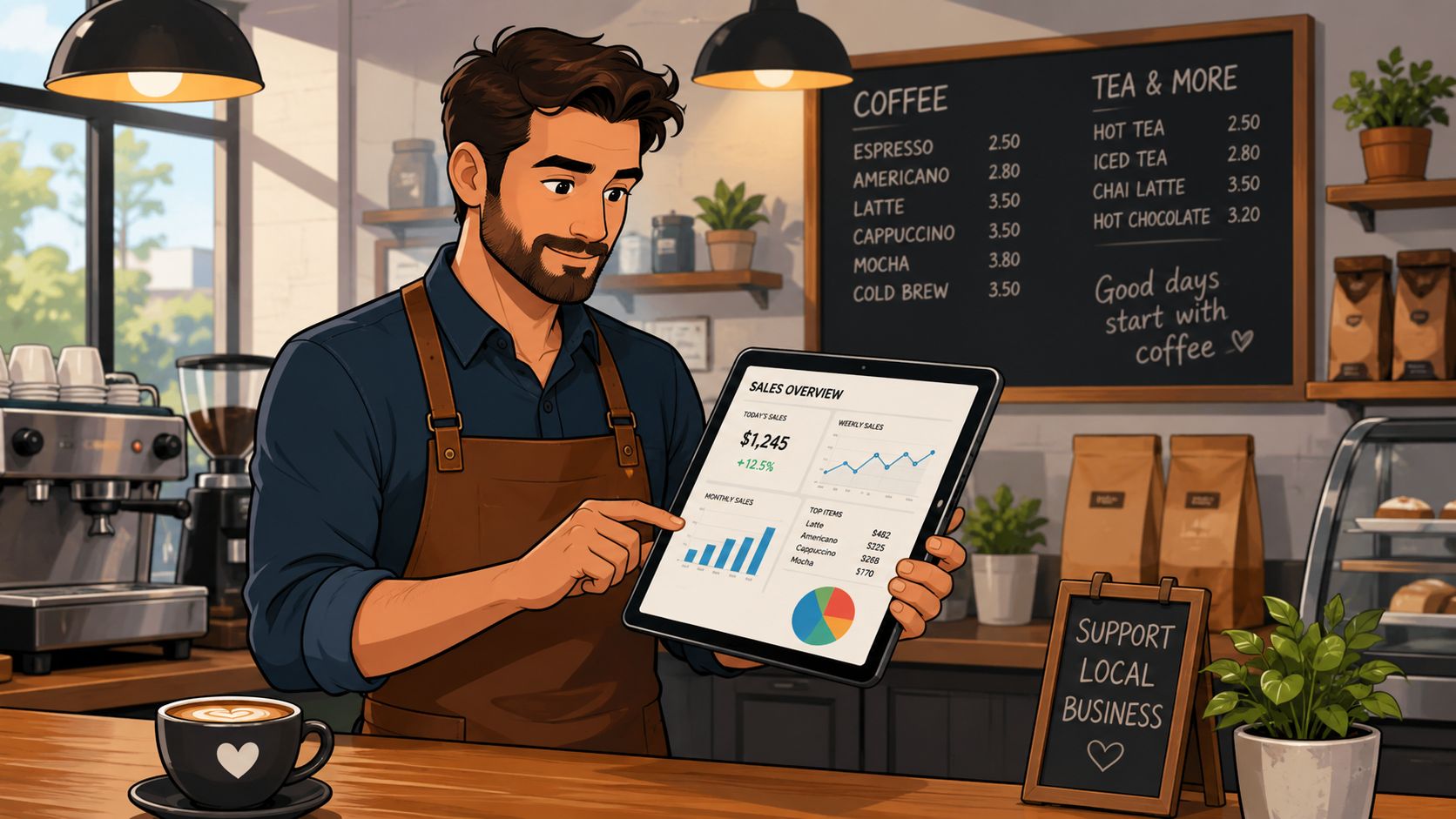
Let's think about a coffee shop in Guadalajara. If the owner writes down every sale with the time, product, and payment method, they can detect if cold drinks boost the ticket size in the afternoon or if the cash does not match what was served. In a barbershop in Mexico City, recording the service, barber, and customer allows you to see which professional best retains their clientele and which services drive repeat product purchases.
The difference between a manual and digital record is quickly noticeable. In a notebook, a typical row might look like this: "Tuesday, large latte, $75, cash." That is enough to remember the sale, but not to analyze it. In a spreadsheet or digital system, the same transaction can include the time, SKU, customer, channel, payment method, and salesperson. In my editorial experience, this leap in detail is what most changes the quality of decisions, because interpretations disappear and evidence begins.
The value of control also increases when it is used to compare periods and not just to "sum up the day." In retail, monthly variations can be confusing if they are not recorded consistently: retail and food services sales in the United States reached 763.6 billion dollars in July 2026, with a monthly decrease of 0.6% but a year-over-year increase of 5.0%, according to the Retail Sales release by the U.S. Census Bureau. The lesson for an SMB is simple: without comparable series, a bad month can look like a crisis, and a seasonal spike can look like structural growth.
A good record also brings you closer to retention. In retail, the average retention rate is around 63%, while in e-commerce it hovers between 31% and 38%, according to these customer retention statistics. If your tracking system saves purchases by customer, you no longer just know how much you sold: you know who is returning, how frequently, and what combination they buy. That completely changes how you promote, stock, and follow up.
A spreadsheet is usually sufficient when the daily volume still allows you to manually review errors, returns, and collections without delays. It stops being enough when you sell through multiple channels, need to deduct inventory in real time, manage branches, or each closing requires consolidating information from WhatsApp, the counter, and bank transfers. That is when it makes sense to move to a POS because the problem is no longer capturing data, but maintaining traceability without duplicating work.
Additionally, following the economic context helps to better interpret your own data. A changing demand environment can alter purchasing patterns, seasonality, and product mix, so it is advisable to contrast your numbers with external signals, such as this report from Once Noticias on Mexico's record exports in 2025.
How to structure a sales record that actually works
For a record to truly work, it is not enough to just open Excel and start writing down sales. The structure must answer an operational question: what do you need to control each day and what decisions do you want to be able to make at the end of the week. First comes the objective; then, the fields.
The data that cannot be missing from your record
The minimum fields must allow for identifying the transaction, classifying what was sold, knowing who made the sale, through which channel it came, and how it was paid. If one of these elements is missing, any subsequent analysis breaks down. In my review, the businesses that make the most mistakes are not those that capture too little, but those that capture without a standard.
Basic structure to get started
If you are just starting out, a simple table is still a good starting point, as long as each column has a clear function and does not become an ambiguous list of concepts.
Table: Essential fields in your sales record
Essential Field | Strategic Purpose | Example (Coffee Shop) | Example (Barbershop) |
|---|---|---|---|
Sale ID | Unique identifier for each transaction to facilitate searches and reconciliations. | Sale-00123 | Sale-B0456 |
Date and time | Allows analysis of patterns by day, hour, or season. | 15/10/2024 09:30 AM | 18/10/2024 06:15 PM |
Customer ID | Connects the sale to a specific profile to analyze retention. | Customer-A58 | Customer-C91 |
SKU / Product ID | Identifies the exact product or service to track inventory with precision. | COFFEE-LAT-LRG | SERV-CUT-01 |
Salesperson | Associates the sale with an employee to measure performance and calculate commissions. | Employee: Ana G. | Barber: Carlos M. |
Payment method | Helps understand payment preferences and reconcile cash. | Credit card | Cash |
Total amount | Final value of the transaction, the foundation of financial analysis. | $75.00 MXN | $250.00 MXN |
Below that foundation, this is how you build a truly usable tracking system:
Define the objective of the record. Recording to close the register is not the same as recording to measure retention or control inventory. If your priority is daily reconciliation, the payment method and the total are mandatory. If you also want to track repeat purchases, you need to identify the customer.
Choose the tool based on your operations. A notebook for very low and temporary volume; a spreadsheet for simple sales with daily review; a POS system if there are already multiple channels, inventory, or branches.
Set minimum columns. Date, folio or ID, product/service, quantity, amount, payment method, channel, salesperson in charge, and customer when applicable.
Standardize names and SKUs. "Americano", "Caffè Americano", and "Amer." cannot coexist as if they were different products. The same applies to services like "fade", "fade cut", or "low fade".
Record the sales channel. Counter, WhatsApp, Instagram, telephone, or home delivery. This data prevents part of the revenue from becoming invisible.
Check for errors at the end of the day. Validate that the total sold matches collections and inventory movements, and that returns or cancellations were indeed recorded.
To show how this is filled out in practice, here are two complete and realistic rows:
Coffee Shop: VTA-2841 | 14/08/2026 17:42 | Customer C-118 | SKU COF-LAV-16 | 1 | Lavender latte 16 oz | Counter | Card | $89 MXN | Salesperson Ana | No return
Barbershop: VTA-B903 | 14/08/2026 19:10 | Customer CL-77 | SKU SERV-FADE-01 | 1 | Fade cut | WhatsApp | Transfer | $280 MXN | Barber Carlos | Appointment confirmed
If you want to add a sales record template to start with, think of this column order: date, folio, customer, product/service, SKU, quantity, channel, payment method, total, salesperson, sale status, and observations. There is no need to make it more complicated at the beginning.
Common errors when recording sales and how to avoid them
Duplicate product names. Solution: create a master catalog with a single name per product or service and its corresponding SKU.
Not capturing returns or cancellations. Solution: record these transactions in a status column and do not delete them, so as not to inflate income.
Mixing personal cash withdrawals with actual sales. Solution: separate cash advances, owner's expenses, and register cash drops into different logs.
Omitting the payment method. Solution: make it a mandatory field; without it, you cannot reconcile or negotiate financial costs.
Not recording sales from WhatsApp or social media. Solution: always assign a channel to each transaction, even if the payment comes via bank transfer.
When the record includes customer and contact information, it also becomes useful for business relationships and follow-ups. If you need to organize that information from scratch, you should check how to create a customer database.
How to make a sales record step-by-step
If you need to start today, this is the shortest and most useful process to build your tracking system without over-designing it.
1. Decide what you are going to control
Define if your priority is daily closing, inventory control, customer tracking, or all of them together. I usually recommend starting with daily closing and channel identification; these are the two points that quickest expose operational errors.
2. Open a simple template
It can be a notebook, Excel, or Google Sheets, but with fixed columns from day one. Avoid improvised sheets with free text because later you won't be able to filter or compare.
3. Create the minimum fields
Use these columns: date, folio, product or service, quantity, amount, payment method, channel, customer, and salesperson. If you sell physical inventory, add a SKU.
4. Standardize before capturing
Make a closed list of products, services, channels, and payment methods. In my experience, this step seems minor, but later ends up being the one that saves the most hours during data cleaning.
5. Record every transaction on the spot
Do not leave sales "for later." If a transaction comes in through WhatsApp, phone, or Instagram, it must end up in the same tracking system as counter sales.
6. Validate at the close of the day
Check that the total sold matches cash, terminal, bank transfers, and pending collections. If there are differences, correct them the same day; letting them pile up makes tracking the error almost impossible.
7. Analyze once a week
With one week of data, you can already detect peak hours, profitable products, top-performing salespeople, and channels that actually convert.
The leap to automating your sales record with POS and CRM
Automating your sales record doesn't mean buying software as soon as possible; it means choosing the level of tool that fits your current stage without hiding data entry issues. The useful comparison is not "manual vs. digital" in the abstract, but what each format solves, where it breaks, and when it is convenient to switch.
Notebook or manual record
What it solves: works for businesses with very few daily transactions, a single person collecting payments, and a short catalog. It allows you to keep a basic record of the date, concept, and amount.
Where it fails: it doesn't scale well, doesn't standardize names, complicates reconciliation by payment method, and almost always leaves out returns, channels, and customers. When I review manual examples, the most common issue is finding sales that are impossible to compare week over week.
What stage it is for: temporary start or very small businesses with direct control by the owner.
Spreadsheet
What it solves: organizes data capture better, allows filtering by product, channel, or payment method, and is a good transition to professionalizing the daily close.
Where it fails: depends too heavily on manual discipline. If you sell at the counter and also through messaging, someone has to capture everything without delay. It also becomes fragile when more than one person is editing or when you need real-time inventory.
What stage it is for: SMBs with simple operations, moderate volume, and a single branch.
POS with CRM
What it solves: records every sale instantly, deducts inventory, consolidates payments, unifies channels, and links tickets to customers for subsequent follow-up. Additionally, it facilitates comparable reports without rebuilding formulas every week.
Where it fails: it won't fix a poorly named catalog, disorganized processes, or staff who fail to record sales away from the counter. A good system with careless operations only automates the mess.
What stage it is for: businesses with higher volume, more than one sales channel, multiple branches, invoicing needs, or recurring commercial follow-up.
How to automate counter, WhatsApp, Instagram, and phone sales without losing traceability
The key is that all transactions end up in a single workflow, even if they enter through different doors.
Counter: the sale is registered at checkout and deducts inventory immediately.
WhatsApp: upon confirming the order and payment, the transaction is captured under the "WhatsApp" channel and corresponding status.
Instagram: if the sale originated via DM but was paid through bank transfer or link, the source must be marked as "Instagram".
Phone: orders taken by phone also need a folio, payment method, and status, even if they are paid upon delivery.
Without that channel field, you won't know which source sells the most or where orders are being lost. And if one person handles part of the tracking on their phone and another part at the register, traceability breaks down even if the business "feels" like it is doing well.

Checklist for choosing a tool
Before deciding between Excel and a system, review this:
Daily sales volume: if you are already struggling to close the day without differences, your current format is no longer enough.
Inventory needs: if selling requires deducting stock, you should automate as soon as possible.
Branches: two or more points of sale usually make isolated tracking inefficient.
Invoicing: if you issue receipts frequently, integrating sales and billing prevents manual data re-entry.
Customer follow-up: if you want to measure retention or run campaigns, you need to connect tickets with history.
If you want to explore how a POS system can centralize operations, inventory, and tracking, it is worth comparing it against your current process and not just against a promise of "more technology".
Turn your sales data into growth strategies
A detailed and well-organized sales record is much more than a archive of transactions. It is a source of information that, if used correctly, can completely transform your business. This is where tracking stops being historical and becomes strategic: you connect the data you capture every day with decisions that actually drive revenue.
It is time to stop viewing sales as isolated events. It is better to think of them as ongoing conversations with your customers.

The ultimate goal is to transform your sales record into a proactive tool. With the right information, you can anticipate needs, fine-tune sales efforts, and build a more profitable and resilient business.
Segment your customers to communicate better
Not all your customers buy the same way, so you shouldn't speak to them the same way either. Segmentation consists of grouping them based on their purchasing behavior to send messages and offers that are actually relevant to them. A good POS with CRM features makes this job easy.
Imagine you own a coffee shop. Your sales record gives you the starting point to create very specific groups:
First-time buyers: those who have only visited you once. You can send them a welcome coupon to encourage their return.
Specialty coffee lovers: customers who frequently buy your most exclusive beans. You could let this group know before anyone else about the arrival of a new batch.
Afternoon customers: people who usually visit you after 4 p.m. and order dessert. A targeted coffee + dessert promotion makes sense here.
This level of personalization shows that you understand your clientele better, strengthens loyalty, and increases the likelihood of repeat purchases. The key is to use the data you already capture so that each customer feels served in a more precise way. To better understand how to turn data into action, it is worth reviewing this guide on data-driven decision making.
Measure the real impact of your campaigns
Do you know what is actually bringing in customers? A WhatsApp coupon, a social media ad, or a loyalty program? Sales attribution helps answer this and allows you to invest time and money where there are actual results.
A modern POS system can help you track the origin of each purchase. When you create a digital coupon, for example, the system records each redemption and associates that sale with the corresponding campaign. This gives you clarity to compare initiatives and optimize your budget.
Let's think of a car wash owner who launches two campaigns at the same time: one with physical flyers and another with a discount code via WhatsApp. At the end of the month, their records show that most of the redeemed discounts came from WhatsApp. With that signal, they can reduce investment in flyers and strengthen the digital channel with more confidence.
Sales attribution reduces assumptions. It allows you to know with more certainty which actions generate a return and which only add expenses.
Identify upselling and reactivation opportunities
Your sales record also serves to increase the value of each ticket and win back customers who drifted away. When analyzing purchasing patterns, opportunities appear that would go unnoticed at first glance.
Cross-selling: what products are sold together most frequently? If in a barbershop you notice that those who buy wax also usually get beard oil, you can put together a combo with a small discount and train the team to offer it.
Reactivation: your CRM can detect customers who haven't returned in, say, 90 days. With that base, you can activate an automated campaign with a personalized message and a welcome-back offer.
The weight of this data is reflected at an industry level. Historically, brands that best leverage their records do not stop at gross revenue: they observe how much the business depends on loyal customers. According to the retail section of the U.S. Census Bureau, about 65% of retail business comes from loyal customers, who also spend more per purchase than new ones. This explains why, even in an SMB, tracking retention changes more decisions than just looking at total sales.
If you want to delve deeper into how your data can support business expansion, it may be useful to review these business growth strategies based on information analysis.
Simplify accounting and inventory control
Having a digital and centralized sales record is much more than writing down who buys and how much they pay. In practice, it can become direct support for two areas that usually generate the most friction in an SMB: accounting and inventory.
When every sale is recorded automatically and orderly, monthly closes and reconciliations stop depending so much on loose receipts or manual re-entry. Bank reconciliation becomes simpler because you already have clear reports on what you sold, how you were paid, and when it happened.
Invoicing and tax compliance with less friction
One of the greatest benefits of automating is invoicing. Implementing self-invoicing tools, for example, can reduce operational load and data entry errors in tax details. This not only eases the customer experience; it also helps keep accounting information more organized and aligned with what tax authorities require.
When your sales record and your invoicing system are connected, preparing tax returns and reviewing income becomes much more direct. Instead of looking for scattered receipts, you generate reports with greater speed and consistency.
From recording a sale to smart inventory
The relationship between what you sell and what you have in stock is direct. Every time you register a sale correctly, its impact on inventory should also be reflected. This synchronization reduces one of the most costly errors: running out of product or failing to detect shrinkage on time.
Imagine two scenarios:
In a barbershop: if a certain shampoo sells quickly, the system can alert you when there are few units left to restock before losing sales.
In a car wash: if your most profitable service depends on a specific supply, recording each application helps predict when you should reorder and avoid interruptions.
This form of control allows you to buy with better judgment, avoid capital tied up in slow-moving products, and ensure availability of what does move. If you want to delve deeper into this process, it is worth reviewing this guide on how to make a product inventory.
Frequently asked questions about sales records
What is a sales record?
It is the control where a business documents every sale with basic data such as date, product or service, amount, payment method, customer, and channel. It serves to close the register, analyze income, detect customer retention, and reconcile sales with inventory or collections.
How do you record a sale?
Follow this micro-process: 1) identify the transaction; 2) capture key data; 3) validate amount and payment method; 4) archive and analyze within the same control. If you sell at the counter, WhatsApp, Instagram, or phone, all transactions must be kept in a single record with their channel marked.
What works best for me: a spreadsheet or a POS system?
If you are just starting out, a well-organized spreadsheet in Excel or Google Sheets can work well. It is accessible and sufficient for simple operations. The problem appears when the business grows and that same sheet starts to become a bottleneck.
A POS system goes beyond recording income. It connects inventory, customers, and reports into a single flow and reduces manual data entry.
Think of a car wash. With a spreadsheet, knowing instantly how many premium waxing services you sold today might require manual review. With a POS, that data appears in one click and helps you anticipate if you are about to run out of a key supply.
The initial investment is usually offset by the time it saves and the errors it prevents.
What if I have multiple branches?
Trying to control multiple branches without a unified system usually ends up in isolated data, misaligned inventories, and reports that are difficult to consolidate. In this scenario, a modern cloud POS makes more sense.
The main advantage is that it concentrates information from all points of sale in one place. This allows you to compare performance by branch and detect operational differences more quickly. For example, a coffee shop chain owner could see that a certain product sells a lot in a central branch, but almost nothing in another area, and adjust stock or menu based on real data.
The Swirvle system is designed precisely to centralize these operations. From point of sale and inventory to customer management and marketing automation, it helps make data-driven decisions and focus operations on growing better.
Related Blogs

Nov 5, 2026
How to Create an Executive Breakfast Menu to Sell to Offices: 2026 Guide

Nov 4, 2026
How much does a loyalty program cost for a small business? 2026 Guide

Nov 3, 2026
How to Create a Sales Database for My Business Step-by-Step: 2026 Guide

Nov 2, 2026
What is a customer data platform and when does an SMB need one?

Nov 1, 2026
What school breakfasts are best to sell, and at what price?

Oct 31, 2026
How to distribute tips among restaurant employees?