Customer database examples for a coffee shop, restaurant and store, plus a field template for Excel or Google Sheets that you can copy today.
A useful customer database doesn't start with software: it starts with a clear structure, capturable data at the counter, and simple criteria to use it for sales, follow-up, and retention.
Customer database examples (coffee shop, restaurant and store)
This is what a customer database looks like in three different types of business. All names, phone numbers, dates and amounts are fictional: they only show which columns to use.
Filled-in example: a coffee shop's customer database
ID | Name | Signed up | Last purchase | Purchases | Total spend | Avg. ticket | Favorite | Branch | Permission | Segment | |
|---|---|---|---|---|---|---|---|---|---|---|---|
CLI-0001 | Mariana Ejemplo | 5500000001 | 10/01/2026 | 28/09/2026 | 42 | $3,780 | $90 | Oat latte | Roma | Yes WhatsApp | Frequent |
CLI-0002 | Jorge Muestra | 5500000002 | 03/03/2026 | 12/08/2026 | 9 | $1,215 | $135 | Frappé + bread | Roma | Yes WhatsApp | At risk |
CLI-0003 | Lucía Prueba | 5500000003 | 22/09/2026 | 22/09/2026 | 1 | $65 | $65 | Americano | Del Valle | Yes WhatsApp | New |
Coffee shop. If you are just starting, name, WhatsApp, favorite drink, last visit and weekly frequency are enough. With that you can already create a segment of customers who buy on Mondays and Wednesdays, or reactivate those who haven't returned in 15 days.
Example: a restaurant's customer database
ID | Name | Last visit | Visits | Avg. ticket | Party size | Preferences | Permission | Segment | |
|---|---|---|---|---|---|---|---|---|---|
RES-001 | Ana Ejemplo | 5500000011 | 20/09/2026 | 12 | $480 | 2 | Terrace, no onion | Yes WhatsApp | Frequent |
RES-002 | Luis Muestra | 5500000012 | 02/08/2026 | 4 | $1,250 | 6 | Large table, birthday in November | Yes email | At risk |
RES-003 | Carla Prueba | 5500000013 | 25/09/2026 | 1 | $390 | 2 | Vegetarian options | No | New |
Restaurant. It is useful to save name, contact, last visit date, number of visits, average ticket, usual party size and preferences (allergies, favorite table, special dates). That way you can invite back those who stopped coming, prepare a group's table or remember a birthday.
Example: a store's customer database
ID | Name | Contact channel | Signed up | Last purchase | Purchases | Total spend | Favorite category | Segment |
|---|---|---|---|---|---|---|---|---|
TDA-001 | Rosa Ejemplo | 12/01/2026 | 27/09/2026 | 35 | $4,200 | Groceries and cleaning | High value | |
TDA-002 | Miguel Muestra | 08/04/2026 | 30/07/2026 | 8 | $760 | Snacks and drinks | At risk | |
TDA-003 | Elena Prueba | 21/09/2026 | 21/09/2026 | 1 | $150 | Dairy | New |
Neighborhood or specialty store. Useful data typically includes name, contact channel, registration date, purchase category, number of purchases and accumulated spend. This is enough to separate new, recurring and high-value customers without turning the registration into an endless interview.
The goal is not to ask for everything. Start with a few well-maintained fields and expand only to what you actually use.
The most valuable asset for your SMB
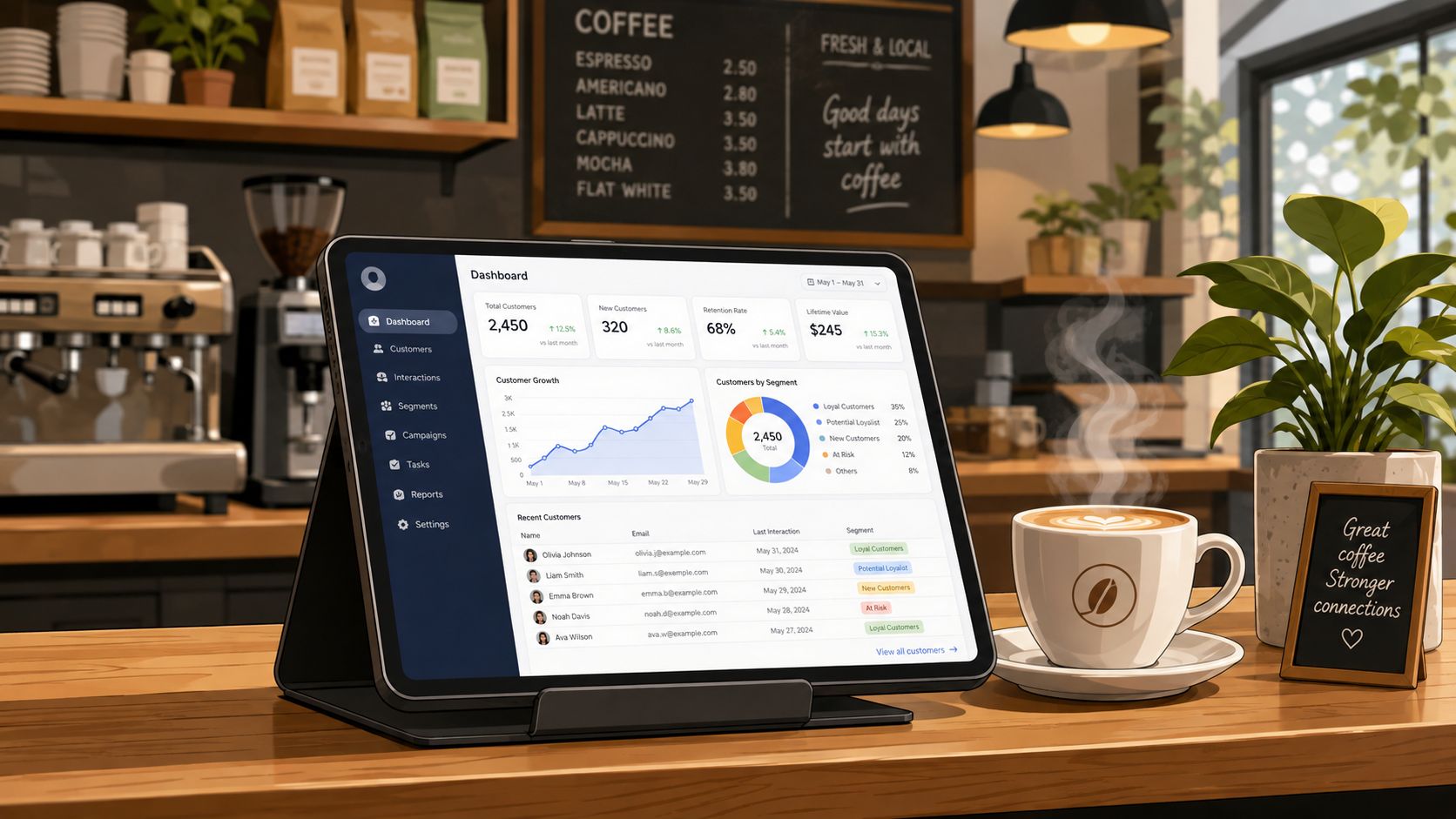
In a small business, losing track of who buys, how often they return, and what they prefer usually costs more than it seems. The difference between "having contacts" and "having a useful database" lies in being able to answer operational questions: who hasn't returned, who buys the most, which service they repeat, and which channel they accept for receiving messages. When that information is captured well, it stops being an archive and becomes a tool to sell better.
For coffee shops, restaurants, car washes, and retail stores, the problem is not just acquiring customers; it is being unable to recognize patterns when they return. If a customer walks in, buys, and walks out without being registered, the opportunity to measure recurrence, average ticket, or reactivation also leaves with them. That is why an organized database has a direct impact on sales and loyalty.
From anonymous interactions to profitable relationships
Working without a centralized system forces reliance on memory, notebooks, or scattered spreadsheets. In our review of these types of implementations, the most common failure was not a lack of data, but having it spread across the cash register, WhatsApp, and a spreadsheet that no one updates. The result is always similar: generic campaigns, duplicates, and decisions made by intuition.
A unified database converts every visit into usable history. A restaurant can identify who usually returns every 25 or 30 days and send an invitation before the relationship cools. A car wash can detect those who buy basic washes frequently but have never tried a premium service, and offer them a specific promotion. And, of course, measuring the effect of those actions matters; you can delve deeper into what ROI in marketing is and how to calculate it to evaluate if a campaign actually generated a return.
The power of data for a physical business
Centralizing information allows you to answer questions that change daily operations:
Who sustains most of the revenue. Not all customers have the same weight. In a recent segmentation analysis for SMBs, the "Champions" group represented 27.5% of customers but generated 67.2% of recent revenue, according to this applied segmentation study.
How often they buy. This signal allows you to detect habits and schedule reactivations before losing visits.
What they buy and what they don't buy. This is used to make cross-sales with logic, not assumptions.
When the last visit was. This is the minimum data required to distinguish active, warm, and inactive customers.
Instead of accumulating theory, this guide lays down how to create the database, which fields are best to request, how to organize it in Excel or Google Sheets, and how to turn it into actionable segmentation. If you also want to review the framework for legitimate data use in more complex contexts, Miranda's's guide may be useful to you.
How we evaluate a useful customer database for SMBs
For this guide, we took real-world over-the-counter business situations as a reference: a coffee shop registering quick visits, a restaurant with recurring diners, and a retail store or car wash with repeated but irregular purchases. Under these criteria, a customer database is only considered useful if it meets five conditions.
First, it must be easy to capture at checkout or reception; if registering a customer takes too much time, the staff stops doing it. Second, it must allow segmentation with fields that can then be used to take action: last purchase, frequency, accumulated spend, category of interest, or branch. Third, it must be maintainable without depending on a single person or fragile manual processes. Fourth, it must comply with consent and legitimate use of data, because an uncontrolled database can become a liability. Fifth, it must help sales and retention, not just store names.
We also defined what disqualifies a bad implementation: asking for irrelevant data from the first contact, keeping duplicate records, not documenting consent, failing to normalize formats, and building a sheet that is impossible to update. In our editorial experience, many databases fail not due to a lack of volume, but because of an excess of useless fields from day one.
As a reference of impact, well-executed personalization is not a cosmetic detail: Boston Consulting Group observed revenue improvements of 6% to 10%, and McKinsey reported that high-growth companies generate more revenue from personalization than their peers, according to this summary of evidence on personalization.
What a customer database is and what it is used for
A customer database is a structured record of the people who buy from or interact with your business, along with the minimum information required to identify, contact, and understand their behavior. The key difference compared to a simple contact list is that a useful database connects identity, purchases, frequency, and communication permission.
Put practically: a sheet with names and phone numbers only serves to "have someone to write to." A well-made database serves to know who last purchased 40 days ago, who spends the most, who only buys one category, and who accepted receiving promotions. That is where it transitions from a list to a system. In this leap, the channel also matters: for email, for instance, it is useful to rely on usage and context references like these email marketing statistics.
From contact list to business tool
A database starts generating value when each record helps make a decision. If you know that a customer last purchased on March 3rd, has made 7 purchases, spends an average of $220, and accepts messages via WhatsApp, you can already decide whether to reactivate them, reward them, or exclude them from a campaign that doesn't apply to them.
A simple record might look like this:
Field | Example |
|---|---|
Name | Ana López |
Phone / WhatsApp | 55 1234 5678 |
Registration date | 12/01/2026 |
Last purchase | 03/03/2026 |
Number of purchases | 7 |
Average ticket | $220 |
Favorite category | Cold drinks |
Contact permission | Yes, WhatsApp |
Notes | Prefers plant-based milk |
That same record already allows a concrete action: sending a cold drink promotion or a reactivation offer if they stop visiting the business for a certain period.
What data is best to save and what it is used for
Data | What it is used for | How it is captured |
|---|---|---|
Name | Personalizing messages and service | Registration at checkout, form, or loyalty program |
WhatsApp or phone | Sending confirmations, reminders, or coupons | Requested directly upon payment |
Receipts, promotions, and follow-up | Short form or digital receipt | |
Date of last purchase | Measuring activity and risk of churn | Updated with each sale |
Number of purchases | Identifying recurrence | Automatic calculation in spreadsheet or CRM |
Accumulated spend / average ticket | Detecting high-value customers | Integration with sales |
Category or interest | Running relevant campaigns | Manual tag or purchase history |
Consent | Legal compliance and traceability | Checkbox or explicit acceptance |
Comparison between managing customers with and without a database
Business Aspect | Without a Database | With a Database |
|---|---|---|
Marketing and communication | Massive and generic campaigns. | Personalized and segmented messages. |
Customer service | Treatment dependent on staff memory. | Consistent and contextualized service. |
Loyalty | Depends on irregular service or luck. | Proactive loyalty and follow-up strategies. |
Decision-making | Based on intuition or overall sales. | Based on actual purchase and behavioral data. |
A customer database doesn't have to be complex to be useful. It does have to be designed to answer business questions. When that condition is met, segmenting and automating stop being abstract promises.
A CRM is one of the most useful tools to organize this process. You can get a better look at how a CRM combines with a loyalty program to take these results to the next level.
How to organize a customer database in Excel or Google Sheets
For an SMB, Excel or Google Sheets remain a good starting point if the volume is still manageable and if a structure is defined from the beginning. The advantage is obvious: low cost, fast implementation, and team familiarity. The disadvantage is also clear: as records grow, cleaning, segmenting, and follow-up become manual.
In our review, a spreadsheet works well for starting with hundreds of records; it begins to fail when used as a CRM, scheduler, campaign history, and master database all at the same time.
Step-by-step to set it up right from the start
Create a single master sheet. Avoid having one tab per month or per branch if they are not consolidated afterward.
Define one row per customer. Not one row per purchase, unless you keep a second, separate transactional sheet.
Use fixed headers. Don't mix variants like "cell," "mobile," and "WhatsApp."
Assign a customer ID. This can be numeric or alphanumeric to avoid relying on the name.
Separate contact data from purchase data. This makes filtering and updating easier.
Add validations. Dates in a single format, dropdown lists for segments, checkboxes for consent.
Schedule reviews. A database in a spreadsheet does not maintain itself.
Recommended structure in a simple sheet
Column | Type | Example |
|---|---|---|
Customer ID | Required | CLI-000145 |
Name | Required | Ana López |
Required if you use this channel | 5512345678 | |
Optional | ||
Registration date | Required | 12/01/2026 |
Last purchase | Required | 03/03/2026 |
Number of purchases | Required | 7 |
Accumulated spend | Required | 1540 |
Average ticket | Recommended | 220 |
Category or interest | Recommended | Cold drinks |
Favorite branch | Optional | Roma Norte |
Consent | Required | Yes |
Notes | Optional | Prefers afternoon messages |
Two sheets are better than one when you sell frequently
If the business already has some volume, it is best to separate:
Sheet 1: Customers. One record per person.
Sheet 2: Sales. One row per transaction, linked by customer ID.
With this, you can use pivot tables or formulas to calculate the last purchase, recurrence, and accumulated spend without overloading the main customer profile.
Signs you have outgrown the spreadsheet phase
Your team edits the file at the same time and breaks formulas.
You have frequent duplicates due to number changes or typos.
Running a campaign requires manually filtering and copying data to another tool.
You cannot easily know who redeemed a promotion.
There are multiple versions of the file circulating.
When these symptoms appear, it is usually time to transition to a specialized platform or, at minimum, an operation connected with a point of sale.
How to structure key customer data
The structure defines whether your database serves to register customers, analyze sales, and trigger campaigns, or if it ends up being a spreadsheet that is impossible to use. The practical rule is simple: ask first for what you will actually need to identify, contact, and segment; leave the accessories for later.
Minimum required columns
If you are starting today, these are the columns that generate the most value for an SMB:
Customer ID
Name
WhatsApp or primary phone
Email (if you use this channel; if not, it can be optional at the start)
Registration date
Date of last purchase
Number of purchases
Accumulated spend
Category or basic segment
Consent for contact
Operational notes
With just this core, you can already register customers, measure recurrence, calculate value, and decide whom to contact.
Optional columns that do add value
Once the basic registration is working, you can add:
Average ticket
Favorite branch
Most purchased product or service
Birthdate
Preferred contact channel
Usual waiter, salesperson, or advisor
Customer status: new, active, at risk, inactive
These columns are useful because they improve segmentation and service, but they are not essential for launching an initial database.
Fields to avoid asking for during the first contact
There is data that many businesses try to collect too soon and only generate friction:
Full address, if you don't do deliveries
Date of birth, if you don't have a specific campaign to use it
Multiple secondary phone numbers or emails
Socioeconomic data or overly detailed preferences
Any sensitive data that is not indispensable
Asking for too much reduces the registration rate and worsens quality. In our review, what was most lacking was not "depth," but consistency in name, phone number, last purchase, and consent.
Base template for an SMB
Field | Required | Example | Primary Use |
|---|---|---|---|
Customer ID | Yes | CLI-1023 | Avoid duplicates and link purchases |
Name | Yes | José Ramírez | Personalization |
Yes | 5587654321 | Messaging and follow-up | |
No | Receipts and campaigns | ||
Registration date | Yes | 05/02/2026 | Account age |
Last purchase | Yes | 21/03/2026 | Reactivation |
Number of purchases | Yes | 4 | Frequency |
Accumulated spend | Yes | 1850 | Customer value |
Category/segment | Yes | Frequent | Commercial actions |
Consent | Yes | Yes, WhatsApp | Compliance |
Notes | No | Interested in detailing | Commercial context |
Maintenance: the part that is almost always neglected
A customer database does not deteriorate all at once; it becomes less reliable through accumulated small errors. To avoid this, it is best to set clear rules.
1. Normalize formats
Use a single date format: mm/dd/yyyy.
Save phone numbers without mixing spaces, dashes, and random country codes.
Define closed lists for segments: "new," "frecuent," "at risk," "inactive."
Avoid having the same category appear as "VIP," "Vip," and "vip."
2. Deduplicate records
Check for matches by phone and email.
If a customer changed their number, update the existing record instead of creating another one.
Keep a unique ID per customer as a master reference.
According to the Data Management Body of Knowledge from DAMA, data standardization and governance are basic conditions for information to be usable and reliable; this applies even to small implementations.
3. Update outdated data
Mark bounced emails and invalid phone numbers.
Review customers without purchases over long periods to reclassify them.
Delete obsolete notes that no longer add context.
4. Define a review frequency
Monthly if you capture customers daily or run frequent campaigns.
Quarterly if your operation is more stable and volume is lower.
The cost of not doing so is real. Retention rates in retail are around 63%, while restaurants and hospitality move around 55%, according to this recent SMB retention compendium. If a significant portion of customers stop returning in short cycles, an outdated database prevents detecting in time whom to win back.
How to use segmentation to personalize your campaigns
Segmenting does not mean building complex models. For an SMB, it is enough to organize the database with four criteria that do change commercial decisions: recency, frequency, value, and category or interest. With this, you can better organize data and avoid massive campaigns without context.
The 4 criteria that generate the most value
1. Recency
Measures how much time has passed since the last purchase. It helps separate active, at-risk, and inactive customers.
Active: purchased recently
At risk: taking longer than usual to return
Inactive: has exceeded a reasonable return period
Recommended campaign: reactivation with a specific incentive.
2. Frequency
Measures how many times they purchase in a period. It distinguishes someone who tried once from someone who has already formed a habit.
Recommended campaign: reward for repeat visits or early access to promotions.
3. Value
Measures accumulated spend or average ticket. Helps recognize customers who deserve priority treatment.
Recommended campaign: VIP benefits, upgrades, or pre-sales.
4. Category or interest
Measures which product, service, or line they consume most. Used to personalize without being invasive.
Recommended campaign: related cross-sale or specific launch.
How to create simple segments with this data
An SMB can start with five very clear segments:
Segment | Simple Rule | Suggested Action |
|---|---|---|
New | 1 purchase in the last 30 days | Welcome message for second purchase |
Frequent | 3 or more purchases in 60 days | Recurrence benefit |
High Value | Accumulated spend above average | Premium offer or preferential service |
At Risk | Does not purchase within their usual cycle | Reminder with incentive |
Specific Interest | Repeated purchase of a category | Promotion of related product |
In our review, these basic segmentations typically produce more value than dividing too early by dozens of tags. First, aim to succeed with 4 or 5 useful groups; then add sophistication. If you also want to compare channel priorities in Mexico when segmenting audiences, it can be useful to review this data on social media users in Mexico.
Recommended workflow for SMBs
Clean data. Correct duplicates, invalid phone numbers, and inconsistent categories.
Tag. Assign status, interest, or value level with simple rules.
Create segments. Filter actionable groups, not infinite lists.
Measure the result. Observe reactivation, repeat purchase, or average ticket.
That order matters. If you segment before cleaning, you end up sending campaigns to incorrect or incomplete records.
Practical example by business type
Coffee Shop. You can identify customers who bought 4 times this month, but only cold drinks. The logical campaign is not a general discount, but a new topping, combo, or seasonal drink aligned with that interest.
Restaurant. If a customer usually returns every 28 days and 40 have already passed, they enter "at risk." The right message is an invitation with quick booking, not a generic promotion of the whole menu.
Small Store. If a group buys premium snacks or cleaning products recurrently, you can use the category to suggest replenishment or related combos.
The economic rationale is clear: well-structured personalization improves revenue because it targets better offers to better groups. Furthermore, with databases ordered by behavior, the SMB can prioritize the customers who contribute the most without wasting budget on irrelevant impacts.
Implement your segments with the right technology
Doing all this by hand ends up being hard to scale. The advantage of a specialized platform is that it allows you to automate rules, update profiles, and execute campaigns without relying on manual filters every week.
A system that integrates point of sale and CRM analyzes transactions, updates history, and turns the customer database into an operational asset. Thus, customer database management stops being just administration and becomes commercial activation.
Segment Type | What triggers it automatically? | Suggested Action |
|---|---|---|
New customer | Makes their first purchase. | Send a welcome coupon for the second visit. |
Frequent customer | Reaches 5 visits in a month. | Grant exclusive benefits or preferred status. |
High-value customer | Exceeds a defined total spend. | Invite to a premium offer or early access. |
At-risk customer | Spends more than 60 days without a purchase. | Launch a reactivation campaign via WhatsApp. |
The key to automation: integrating your database with the point of sale
An isolated customer database works like a static directory: it stores information, but does not put it to work. The potential appears when it connects with the tools the business uses every day, especially the Point of Sale (POS) and, if applicable, a CRM.
That integration creates a continuous flow. Data is updated automatically and every transaction enriches the customer profile without depending on repeated manual entries. It is the step from accumulating records to operating a truly useful sales database.
How does it work in practice?
Imagine the operation at the counter. A customer arrives, pays, and the system registers the sale. If the business can identify them, that transaction is immediately linked to their history.
That flow is the engine of automation. Every purchase adds context to better understand the customer.
The cycle is simple:
Step 1: the purchase. A customer pays for a product or service at your point of sale system.
Step 2: automatic tracking. The system identifies them, for example through their cell phone number, and links the transaction to their history.
Step 3: instant update. The profile is enriched in real time: what they bought, how much they spent, and when they visited the business.
This continuous process helps keep the customer database up-to-date and reflects the real behavior of the customer base.
Smart automations that actually generate sales
When the POS and the database communicate, it is possible to configure automatic triggers. This allows sending the right message, to the right person, and at the right time.
Some practical examples:
Coffee Shop: if a customer buys a bag of coffee, the system can schedule a reminder close to the estimated time of replenishment.
Car Wash: if a customer accumulates several visits in a short time, they can receive a reward or an invitation to try a premium service.
Restaurant: if a regular customer exceeds their normal cycle without returning, a reactivation message with quick booking can be triggered.
Integrating the POS with the database transforms a passive file into an active engine for sales and retention.
The process of a well-executed campaign can be summarized in three stages: collect data, segment, and communicate.
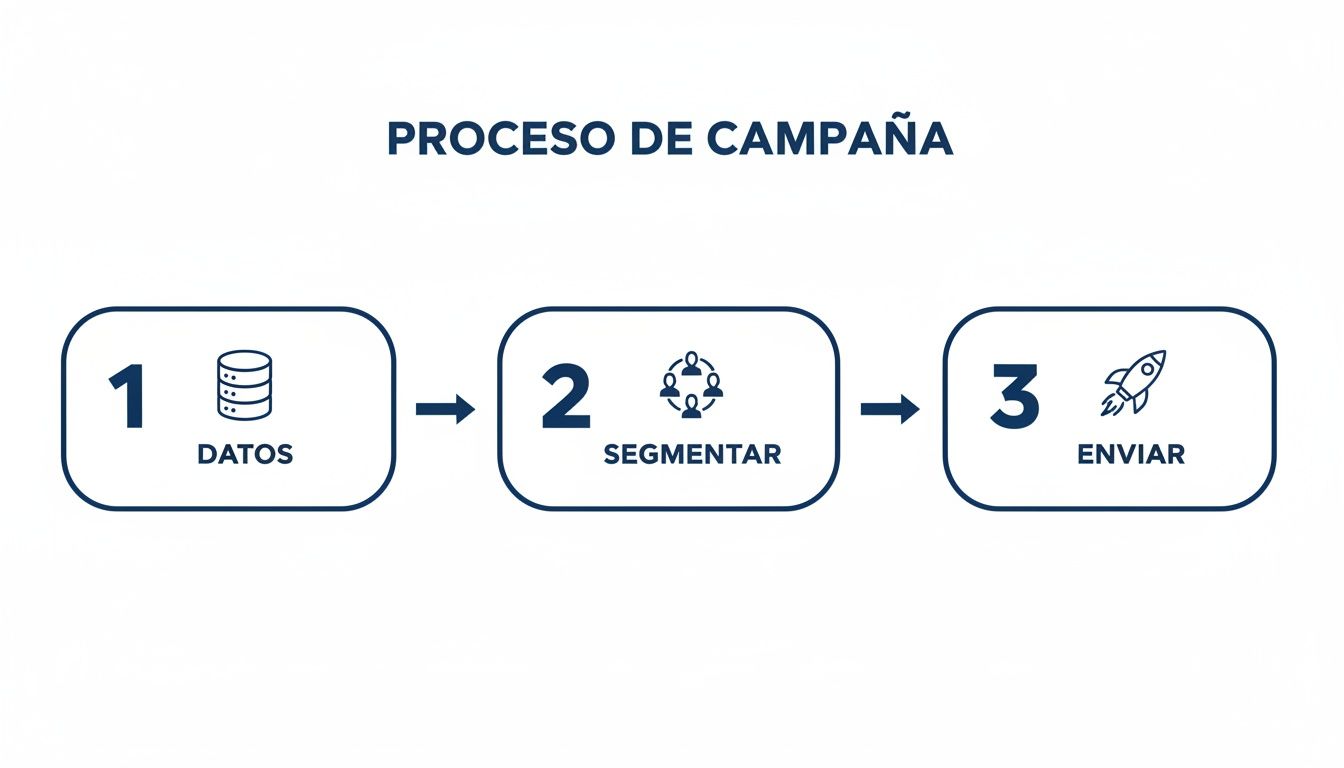
As the image shows, everything starts with good data. With that foundation, you can already create specific groups and send more relevant messages.
Measure ROI with greater clarity
One of the most tangible benefits of this integration is being able to measure results with less intuition and more evidence.
If you send a coupon via WhatsApp and the customer presents it when paying, the system can record it. This allows relating campaigns with actual sales and making better decisions about budget, frequency, and type of promotion.
The legal and secure handling of your customers' data
Creating a customer database is a strategic decision, but it loses value if it is not sustained on trust. Customers hand over personal information expecting the business to treat it with care; if that fails, the problem is not only reputational, it can also be legal.
In Mexico, this framework is related to the Federal Law on Protection of Personal Data Held by Private Parties. Understanding the essentials is not just a legal task; it is also part of the responsible management of the customer database.
Three practical pillars of trust and legality
There is no need to memorize the law. The important thing is to operate with three clear principles:
Consent: ask for permission before storing or using personal data.
Purpose: use the data solely for the purposes communicated to the customer.
Protection: apply reasonable measures to prevent loss, theft, or unauthorized access.
Best practices for an SMB
Complying doesn't have to become an operational burden. In practice, it usually involves simple habits that also strengthen the relationship with clientele.
Respecting privacy is not just a legal obligation; it is also a smart business decision.
Make sure to have a visible and easy-to-understand Privacy Notice. It must be clear what data you ask for, what you will use it for, and how you protect it.
If you operate in B2B contexts or want to delve deeper into when a legal basis other than consent may apply, it can help to review Miranda's guide on legitimate interest and data protection, especially to understand limits and proper documentation.
Finally, always offer a simple way to opt out of receiving messages. An unsubscribe link or a clear instruction to exit a list is a basic practice of transparency. Respecting that decision is as important as having obtained the initial permission.
Frequently asked questions about the customer database
How to make a customer database step by step?
Start with a simple tool and a minimal structure. First, define the basic columns: ID, name, phone or WhatsApp, email, registration date, last purchase, number of purchases, accumulated spend, and consent. Then establish a single master source, whether Excel, Google Sheets, or a CRM. Next, integrate the registration into the sales process so that each signup happens naturally at checkout or booking. Afterward, normalize formats and check for duplicates. Finally, use that data to create basic segments and measure results. If it is not used for a campaign, follow-up, or analysis, that field is probably unnecessary.
What minimum data should I ask a customer for?
For most SMBs, it is enough to ask for name, a primary contact channel, and permission to communicate. If you can also link purchases, automatically add registration date, last purchase, number of purchases, and accumulated spend from sales. Everything else depends on the type of business. Asking for more from the start only makes sense if there is a clear use. In our review, the healthiest databases are those that collect little but actually use it.
What examples of customer databases work for an SMB?
These formats usually work well depending on the business:
Coffee Shop: name, WhatsApp, favorite drink, last visit, weekly frequency.
Restaurant: name, phone, last visit, favorite dish, usual party size.
Car Wash: name, phone, vehicle type, last service, accumulated visits.
Retail Store: name, contact channel, purchase category, number of purchases, accumulated spend.
Bakery: name, phone, favorite product, usual purchase day, special orders.
Business with branches: name, contact, favorite branch, last purchase, segment.
Basic loyalty program: customer ID, name, points, last purchase, active/inactive status.
Sales-oriented database: ID, name, channel, registration date, average ticket, accumulated spend, category of interest.
The best option is not the longest, but the one that allows registering customers without friction and then activating campaigns or follow-ups. If you are looking for customer database examples or an example of a customer database, these formats cover most initial cases.
Is my business too small to need this?
No. No business is too small to understand whom it sells to. In fact, in an SMB, each customer usually has more relative weight than in a large company.
A restaurant with 50 recurring customers or a neighborhood coffee shop can benefit greatly from remembering consumption patterns, frequency, and preferences. The goal is not to imitate large corporations, but to protect and grow the relationship with your own community.
How long does it take to see results?
There are two paces. On one hand, operational benefits appear quickly: having organized data, unified history, and less dependence on memory. On the other hand, strategic results —more recurrence, better average ticket, or better reactivation— usually become visible after a few weeks of consistent capture and basic campaigns.
Do I really need software for this?
A spreadsheet is a first step and is often enough to start. But it falls short when you need to automate campaigns, segment dynamically, or connect data capture with sales.
An integrated system does not just store information; it activates it. That is the difference between having customer data examples in a sheet and actually applying how small businesses organize customer data effectively. If you are comparing options, it is worth checking the prices of specialized platforms to find one that fits your budget.
If you want to turn your database for registering customers into an operational and commercial advantage, a platform that connects POS, CRM, and loyalty program can greatly simplify the process. Discover how Swirvle can transform your business.
Business Aspect | Without a Database (Traditional Method) | With a Database (Modern Method) |
|---|---|---|
Marketing and Communication | Mass and generic campaigns (flyers, general advertisements). | Personalized and segmented messages (birthday offers, promotions based on past purchases). |
Customer Service | Impersonal treatment, based on the memory of the staff member on duty. | Consistent and personalized service; staff know the customer's preferences. |
Loyalty | Depends on good luck and excellent but inconsistent service. | Proactive loyalty strategies, rewards, and continuous communication. |
Decision-Making | Based on intuition and general sales of the day or month. | Based on real data about which products sell best, to whom, and when. |
Segment Type | What triggers it automatically? | Suggested Marketing Action |
|---|---|---|
New Customer | Makes their first purchase. | Send a welcome coupon for their second visit. |
Frequent Customer | Reaches 5 visits in a month. | Grant them a VIP status with exclusive benefits. |
High-Value Customer | Their total spend exceeds an amount you define. | Send them an invitation to a special event or early access to offers. |
At-Risk Customer | More than 60 days pass without a purchase. | Launch a reactivation campaign via WhatsApp with an irresistible offer. |
Related Blogs

Oct 28, 2026
How much does a grocery store make per month in Mexico? 2026

Oct 27, 2026
How to attract more customers to my grocery store in 2026?

Oct 26, 2026
8 ideas: What promotions can I run for Buen Fin if I have a small business?

Oct 25, 2026
What thank-you messages should I send to my customers?

Oct 24, 2026
What questions should you ask in a restaurant satisfaction survey? 8 ideas

Oct 23, 2026
Is it legal to charge a card payment fee in Mexico?