
Learn how to do a product inventory with this guide. Optimize your stock, reduce losses, and make data-driven decisions to grow your business.
Knowing how to do a product inventory is not just about counting boxes in the warehouse. It is the strategic process that, when well executed, becomes the pillar of your business's profitability. Leaving it to chance is a costly mistake; mastering it gives you a real competitive advantage, allowing you to make much smarter decisions about what to buy and when to sell.
How to do a product inventory: a 4-step procedure
If you only have five minutes, this is the complete process. Below we explain each part in detail.
Preparation (1 or 2 days before)
Choose the date and time of lowest sales (for example, before opening or early Monday).
Print or download your product list with code (SKU), unit, and stock in the system.
Organize shelves and warehouse: gather identical products and separate damaged or expired items.
Record all pending purchases, sales, and returns in the system.
Divide the premises by zones and assign a counting pair per zone.
Counting (the day of the inventory)
Freeze movements: no merchandise is received and no transfers are made while you count.
Count by zone, from left to right and top to bottom, always in the same unit (piece, liter, kilo).
Write down the physical quantity without looking at what the system says (blind count).
Mark each counted shelf with a label or note to avoid repeating or skipping anything.
Adjustment (the same day)
Compare physical count against system and list the differences.
Recount the products with differences before concluding anything.
Look for the cause: unregistered sale, poorly captured receipt, unregistered shrinkage, or incomplete transfer.
Adjust in the system with a clear reason (shrinkage due to expiration, damaged product, capture error) and calculate the shrinkage in dollars.
Frequency (what follows)
Daily: your 5 to 10 critical or perishable products (in a café: milk, coffee, cups).
Weekly: cycle count of a different category each week.
Monthly: review your shrinkage in dollars and products that are not moving.
Once or twice a year: complete physical count of the entire inventory.
Printable checklist for inventory day
Print this list and post it in the warehouse:
Before counting
☐ Date and time defined (low sales)
☐ Product list with code, unit, and stock in system
☐ Purchases, sales, and returns of the day already registered
☐ Warehouse and shelves organized; damaged and expired items separated
☐ Assigned zones and defined counting pairs
☐ Pens, clipboard, or cell phone with the count sheet ready
During the count
☐ Paused receipts and transfers
☐ Count by zone, without looking at the system's stock
☐ Same unit of measure for each product
☐ Each shelf marked as counted
After the count
☐ Differences listed and recounted
☐ Identified cause for each significant difference
☐ Adjustments registered with reason
☐ Shrinkage calculated in dollars
☐ Date of the next cycle count scheduled
Example: how much shrinkage costs you in dollars
Imagine a small café doing its monthly count (illustrative figures):
Product | Stock in system | Physical count | Difference | Unit cost | Shrinkage in USD |
|---|---|---|---|---|---|
Whole milk (liter) | 40 | 35 | −5 | $28 | $140 |
Coffee beans (kilo) | 12 | 11.5 | −0.5 | $420 | $210 |
Cups 12 oz (pack of 50) | 20 | 18 | −2 | $180 | $360 |
Vanilla syrup (bottle) | 8 | 8 | 0 | $190 | $0 |
Sweet bread (piece) | 30 | 26 | −4 | $12 | $48 |
Total | $758 |
If the inventory of those products is worth, for example, $10,000 USD at cost, the month's shrinkage is 7.6% ($758 ÷ $10,000). Repeated for 12 months, that's more than $9,000 USD a year that you don't see at the cash register. The formula is simple:
Shrinkage in dollars = (stock in system − physical count) × unit cost
Shrinkage % = shrinkage in dollars ÷ inventory value at cost × 100
With the data in hand, you can act: the missing cups could be unregistered freebies; the bread, pieces that were thrown away without being decommissioned.
Why an accurate inventory is the engine of your business
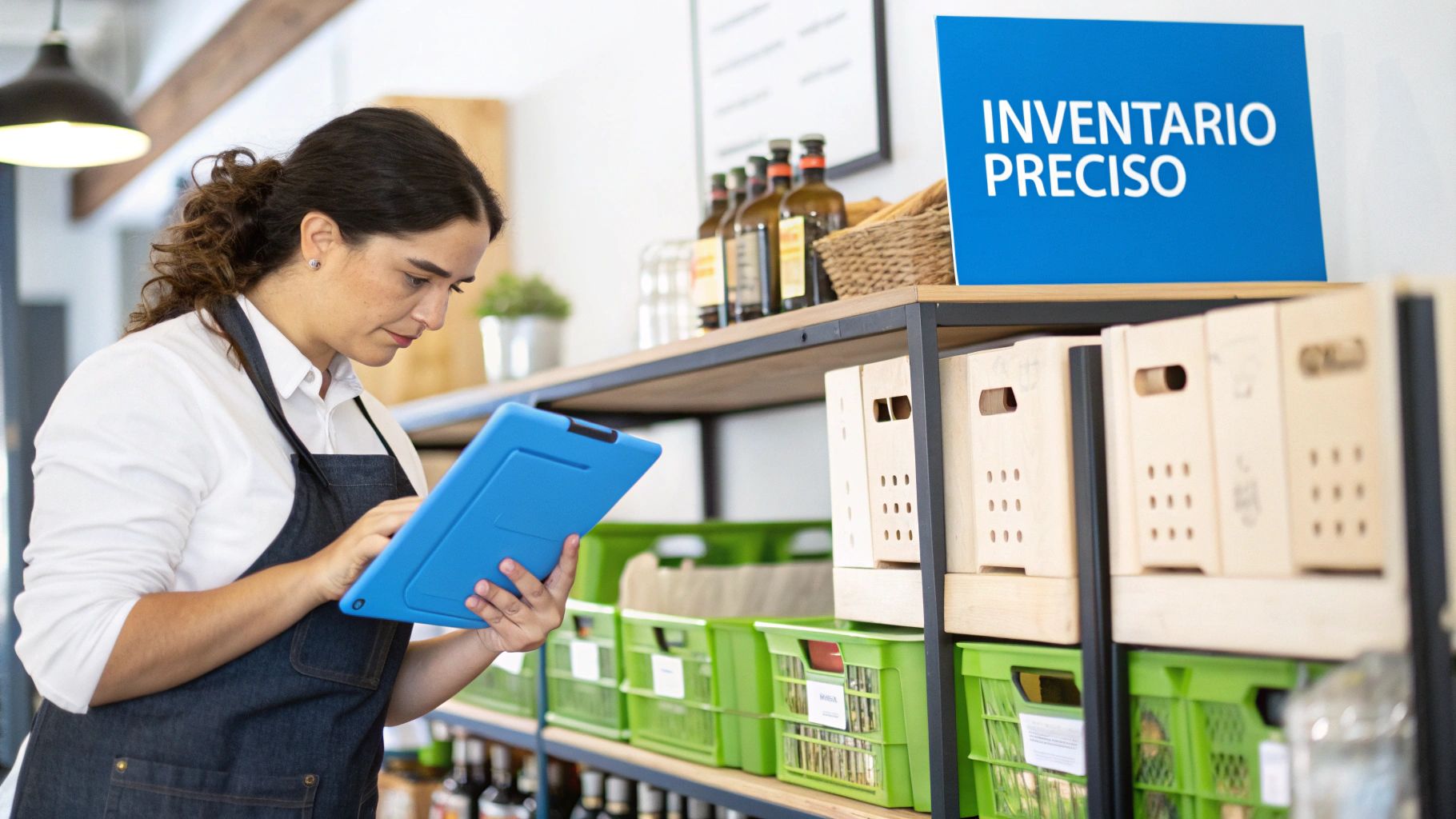
Think of inventory as the central nervous system of your store. When it works well, everything flows. But if it fails, the impact is felt everywhere, from cash flow to the disappointed face of a customer. Poor control translates, bluntly, into economic losses.
Imagine a coffee shop that doesn't pay attention to the expiration dates of its syrups or coffee beans. That is shrinkage, money straight into the trash. The same goes for a barbershop with those hair waxes that have been on the shelf for months, gathering dust. They not only occupy valuable space but represent frozen capital that you could be using for something else.
The direct impact on your profitability
Accuracy in your inventory is not optional; it is a basic operational necessity. Knowing what you have, how much it's worth, and how it moves gives you the power to make decisions that truly drive your profits.
A mechanic shop that knows exactly which oil filters rotate fastest can anticipate demand and even negotiate better volume prices with its suppliers. Similarly, a car wash that records every liter of soap and wax it uses avoids two terrible scenarios: panic buying at a premium or excess stock that chokes cash flow.
A good inventory screams out which are your star products and which are the "villains" that only steal space and money. Without that data, you are basically sailing blind, risking your capital and, worse still, your customers' trust.
Avoiding customer frustration and lost sales
Few things frustrate a customer more than coming to your business looking for something specific and hearing "we're out of stock." These stockouts are more than a lost sale in the moment; they damage your reputation and, very likely, send that customer straight to your competition.
This is where technology, like a good Point of Sale (POS) system with integrated inventory control, becomes your best ally. Instead of relying on manual counts that always have errors, every sale updates your stock levels instantly. This allows you to set low-stock alerts and automate purchase orders so that your most popular products are never missing. By connecting your inventory with your daily sales, you not only optimize your resources but also discover how to increase sales in your business in a much smarter way.
To begin, you must lay the foundations of inventory control
Before you even think about counting the first product, you need to build a solid foundation. Skipping this preparation is like building a house without foundations; sooner or later, problems appear and cost you time and money. A well-structured inventory system from day zero is your best defense against chaos.
The first step to bring order is to give each product its own identity. This is where the famous SKU (Stock Keeping Unit) comes in, an alphanumeric code that is basically the unique ID of each item in your business.
Why does each product need a unique SKU?
An SKU is much more than a simple code. It is the key piece to track each variation of a product individually. Without a system of SKUs, it would be impossible to know if you sell more coffee beans from Chiapas or Veracruz, or if in your barbershop strong-hold hair waxes move faster than those with a matte finish.
Think about it with the syrups of a coffee shop. It does you no good to know that you have 100 bottles of "syrup." What you need to know is how many you have of each flavor, and for that, you use SKUs:
COF-SYR-VAN-750ML: Vanilla Syrup, 750 ml bottle.
COF-SYR-CAR-750ML: Caramel Syrup, 750 ml bottle.
COF-SYR-HAZ-750ML: Hazelnut Syrup, 750 ml bottle.
This level of detail is pure gold. It allows you to identify with surgical precision which flavors are your customers' favorites and which ones are just gathering dust on the shelf. With this information, your purchasing decisions are based on cold data, not hunches.
Organize your inventory into logical categories
Once each product has its unique identity, the next step is to group them in a way that makes sense. Good categorization simplifies your life, facilitates physical counts, and helps you analyze the performance of different product lines. The ideal structure, of course, depends entirely on your type of business.
For example, a car wash might organize its inventory this way:
Exterior Cleaning: Soaps, waxes, degreasers, tire shine.
Interior Cleaning: Upholstery cleaners, leather conditioners, dashboard protectors.
Tools and Consumables: Microfibers, brushes, gloves, buckets.
With this structure, you can see at a glance which category is eating up more budget and where you could optimize costs. In a barbershop, the categories could be 'Hair Products', 'Beard Care', and 'Disposable Tools'. The principle doesn't change: create order to facilitate control.
Categorization is not just to have everything nice and neat. It is a strategic tool that tells you which areas of your business generate the most profit and which ones need a push.
Choose a method to value your inventory
Knowing how much what you have in stock is worth is just as crucial as knowing what you have. The method you choose to value your stock directly impacts your accounting and, therefore, the taxes you pay. The most common are FIFO and Average Cost.
FIFO (First In, First Out): This method assumes that the first products you bought are the first ones you sell. It is the logical choice for businesses with perishable products. For example, a coffee shop must use the oldest coffee beans first so they don't spoil.
LIFO (Last In, First Out): It's the opposite idea: the last thing in is the first thing out. It is much less common and, in fact, in many countries, it is not allowed for tax purposes because it can distort profits during times of inflation.
Weighted Average Cost: With this method, you calculate an average cost for all identical items you have in stock. Every time you receive new merchandise at a different cost, the average is recalculated. It is super practical for businesses that handle large volumes of identical products purchased at fluctuating prices, such as a mechanic shop with its stock of screws or filters.
The choice is not something you should take lightly. It is best to discuss it with your accountant to decide which one aligns best with your business model and tax regulations.
And to close this point: the best system in the world falls apart if the team doesn't know how to use it. It is fundamental that you assign clear roles and responsibilities. Define who receives the merchandise, who enters it into the system, who does the cycle counts, and who is in charge of investigating discrepancies. A well-defined and communicated process is the best vaccine against human errors.
Physical counting strategies: which one works best for you?
Once you have your SKUs and categories well defined, the moment of truth arrives: physically counting what is in the warehouse or on the shelves. This process, which many see as a simple administrative task, is actually the heart of good management. It is what validates (or corrects) all the information that lives in your system.
The strategy you choose to do this count is going to directly impact your daily operation, the accuracy of your numbers, and, of course, the time your team has to invest. There are two main paths: periodic inventory and cycle inventory. Neither is better than the other in the abstract; the right decision depends on the size, pace, and particularities of your business.
Let's analyze each one with day-to-day scenarios so you can see which fits best with your reality.
Periodic inventory: a complete recount all at once
This is the traditional method. Periodic inventory consists of stopping operations for a short period —usually a day or a weekend— to count absolutely every single product you have in stock. It is an "all or nothing" that seeks to get a complete and exact photograph of your inventory at a specific moment.
This approach works wonders for smaller businesses or those with a manageable product catalog. Think of a clothing boutique. For them, closing on a Monday, which is usually their slowest day, to do a total count is perfectly viable. They can organize their team, count every garment, verify sizes and colors, and reopen the next day with 100% updated data, ready to plan the new season.
The same applies to a small mechanic shop. Doing a complete inventory once or twice a year allows them to have clear control over high-turnover parts and those that are just gathering dust, without seriously interrupting service to their customers.
Periodic inventory gives you a panoramic and precise view in an instant, but its big disadvantage is that it forces you to pause the business. For high-traffic venues, closing means losing sales, simple as that.
Cycle inventory: a continuous and phased approach
Cycle counting, on the other hand, is a much more dynamic and fluid strategy. Instead of counting everything in one single block, small sections of the inventory are counted in a rotating and constant manner. For example, one day you count the products of one category, the next day another, and so on until you have covered the entire stock over a quarter or semester.
This method is the salvation for businesses that simply cannot afford the luxury of closing. Imagine a coffee shop or a convenience store with a constant flow of people. For them, lowering the shutter for an entire day is unthinkable. With cycle counting, they can spend an hour every morning, before the heavy rush starts, checking one section: Mondays milk and dairy, Tuesdays syrups, Wednesdays coffee beans, and so on.
A car wash also benefits greatly from this technique. They can check the stock of waxes one week, soaps the next, and microfibers the week after. This not only keeps inventory data updated all the time but also allows catching problems like theft or shrinkage almost in the moment, instead of waiting months to discover the missing items in an annual count.
Comparison of Physical Inventory Counting Methods
To help you better visualize the differences and decide what suits you, here is a direct comparison. There is no single answer; the key is to understand how your business operates and which method will give you the control you need without interrupting your sales flow.
Criterion | Periodic Inventory | Cycle Inventory |
|---|---|---|
Frequency | Infrequent (annual, semi-annual). | Continuous (daily, weekly). |
Operational interruption | High, requires closing the business. | Minimal or none, integrated into the operation. |
Resources needed | Requires a major concentrated effort. | Demands a constant but smaller effort. |
Data accuracy | High at the moment of the count, but degrades over time. | Remains constantly high. |
Error detection | Problems are detected months later. | Allows identifying and correcting discrepancies quickly. |
Ideal for | Boutiques, workshops, businesses with fewer products. | Coffee shops, car washes, pharmacies, high-volume businesses. |
In the end, the choice depends on your operation. The important thing is that the chosen method gives you reliable information to make better purchasing decisions, identify losses, and, ultimately, improve your profitability.
For a barber, for example, cycle counting can be as simple as checking the stock of all waxes at the end of a Monday shift and shampoos on Tuesday. In this way, they ensure that their process of how to do a product inventory is an integrated routine and not a monumental task to face once a year. The key, as in almost everything, is consistency.
Digitize and automate your inventory with a POS system
Saying goodbye to paper and spreadsheets is not just a modernization move; it is a strategic leap that puts you in control of your operation. When it comes to managing inventory, technology is your best ally, and a good Point of Sale (POS) system is the centerpiece that holds it all together.
A robust POS changes the rules of the game on how to do a product inventory. Instead of relying on manual notes where an error is almost inevitable, every sale, every return, and every delivery of merchandise updates your stock automatically. In real time. This visibility allows you to make decisions with hard data in hand, not with hunches.
The starting point: configuring your catalog in the POS
The first thing is to upload your product catalog to the system. This means creating each item with its unique SKU, price, cost, and the supplier that provides it to you. Yes, it is meticulous work at the beginning, but it is the foundation upon which all automation will be built.
Think of a coffee shop. It is not enough to add "Americano" to the menu. Within the POS, a recipe is configured that, for each sale, deducts the exact grams of coffee, the cup, and the lid from the inventory. The same goes for modifiers: if a customer orders almond milk, the system knows to subtract that specific milk, giving you millimeter control of every input.
A POS that handles recipes and modifiers is indispensable for food and beverage businesses. It helps you know exactly how much each dish costs you and what your real margin is, something that is practically a shot in the dark with manual methods.
The inventory flow in real time
Once everything is set up, the POS becomes the brain of your business. The cycle is simple but incredibly powerful:
Merchandise receipts: A supplier order arrives and you register it in the system, either by scanning barcodes or selecting items. Your stock goes up instantly.
Daily sales: Every time a customer buys something, the cashier rings it up in the POS and the system deducts those products from the inventory. Without you having to lift a finger.
Adjustments and shrinkage: If a product breaks, expires, or gets lost, you record it as shrinkage. Thus, the system reflects that loss and your numbers remain exact.
This constant flow eliminates uncertainty. You no longer have to wait for a physical count to know what you are missing.
The general process of a well-run inventory can be summarized in three key phases: prepare, count, and analyze. A digital system helps you execute each one to perfection.
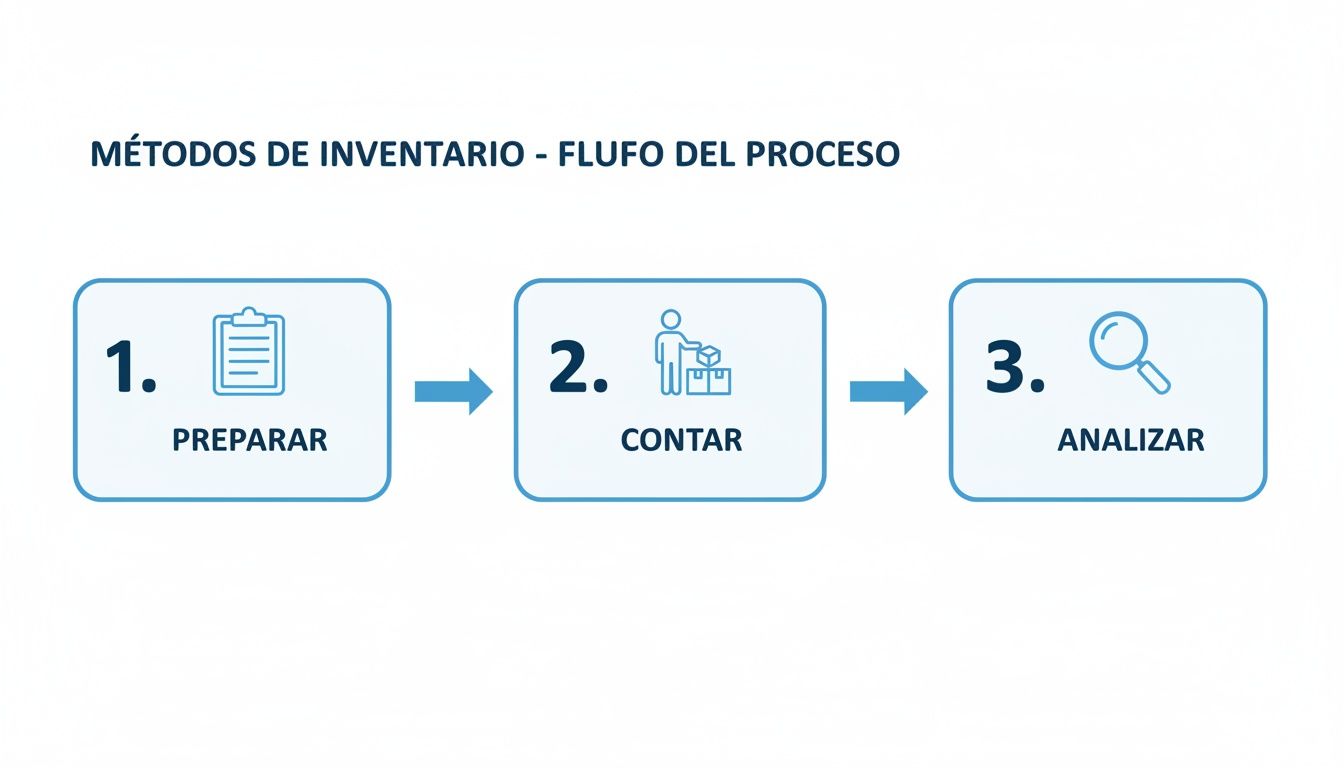
This diagram visualizes how technology can give structure and simplicity to a task that, otherwise, becomes a headache.
Automate alerts and purchase orders
One of the gems of a good POS system is the ability to program low-stock alerts. You tell the system what the minimum level is for your key products, and when stock reaches that point, it notifies you. That way you react in time and avoid the classic "we ran out."
Imagine a car wash that sets up an alert for its premium wax. When the system detects that only 5 gallons are left, it sends a notification to the manager. With a couple of clicks, they can generate the purchase order to the supplier. This ensures they never run out of their star product, which keeps customers happy and money flowing.
For SMBs, a system like Swirvle, which offers this real-time control, helps avoid getting stuck with dead stock or, worse, losing sales due to lack of product. By integrating purchases, sales, and recipes on a single platform, you see in time what is staying on the shelf.
Centralized management for multiple locations
If you have multiple locations, like a chain of barbershops, inventory can become chaotic. A centralized cloud POS system is the solution.
From a single screen, the owner or manager can:
See the stock of all locations in the moment.
Know which store has extra product and which one is lacking.
Make inventory transfers between locations to balance stock, optimizing capital and avoiding unnecessary purchases.
If the downtown location ran out of hair wax, but the north side location has plenty, you coordinate an internal transfer instead of making a new order. This global vision is simply impossible with spreadsheets or isolated systems. If you want to see how it works, you can explore more about the capabilities of a modern POS and the direct impact it has on management.
Turn your inventory data into profitable decisions
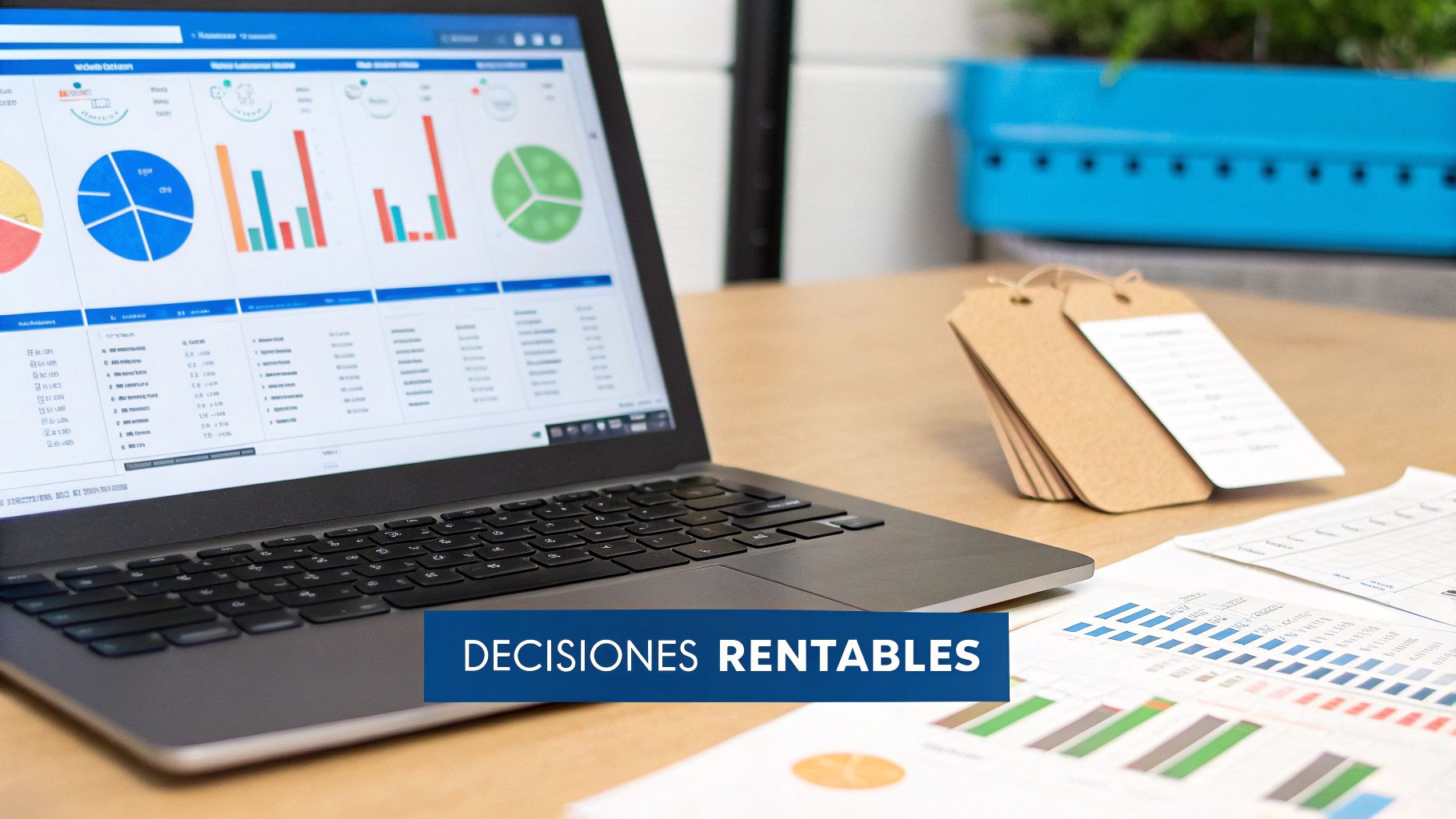
A well-managed inventory is much more than a simple list of products; it is a true goldmine of data waiting for you to tap into it. Every item that comes in, is sold, or is adjusted generates invaluable information. The key to making sure that knowing how to do a product inventory truly drives your business is learning to interpret that information and transform it into strategic actions that boost your profitability.
A modern point-of-sale system no longer just records transactions; it now generates detailed reports that function as the thermometer of your business's health. With this data in hand, you stop reacting to problems to start anticipating them and taking decisions proactively.
The KPIs that every business must monitor
To translate the flood of data into business intelligence, you must focus on the right Key Performance Indicators (KPIs). These metrics will tell you what is working, what is not, and, above all, where your profits are leaking.
Inventory turnover: This KPI tells you how many times you have sold and replaced your inventory in a specific period. High turnover is an excellent sign: your products fly off the shelf, which directly benefits your cash flow. On the contrary, low turnover could be an alert of excess stock or products that simply do not interest anyone.
Cost of Goods Sold (COGS): This reflects the direct cost of the products you sold. It is a crucial figure to calculate your gross profit and understand how efficient your supply chain and pricing strategy are.
Profit margin per product: Analyzing the profitability of each item allows you to identify your "hero" and "villain" products. You would be surprised to know how many products sell a lot but have such a low margin that they barely contribute to your real profits.
Mastering these KPIs gives you the power to understand the financial dynamics of your inventory. If you want to dive deeper into how to apply these concepts, take a look at our guide on data-driven decision making.
Identifying the 'heroes' and 'villains' of your stock
Let's look at a practical example. Imagine you own a barbershop. Upon reviewing last month's reports, you discover that a brand of beard oil has very high turnover and an excellent profit margin. Those are your heroes! With this information, you can decide to give it more shelf space, negotiate a better volume price with your supplier, or even launch a promotion to drive its sales even higher.
At the same time, the report shows you that a type of styling gel from a lesser-known brand has barely moved in three months. Those are your villains: they are taking up valuable space and keeping your money frozen. The logical decision is clear: put them on sale to liquidate the stock as soon as possible and not buy them again, freeing up that capital to invest in more hero products.
Do not underestimate the power of a well-done product analysis. Identifying your heroes and villains allows you to optimize your capital, improve your cash flow, and ensure that every inch of your shop works for you.
Connecting your inventory with the customer
Inventory management reaches its full potential when you integrate it with a CRM system. By having all the information in one place, as Swirvle does, you can understand not only what is selling, but who is buying it.
This connection opens up a world of possibilities to segment your customers based on their buying habits. For example, in a barbershop, you could easily identify all customers who regularly buy a specific styling wax. With that list, you can launch an automated WhatsApp campaign offering them a discount on their next purchase of that product. This personalization not only sells more but builds loyalty.
With changing costs, efficient inventory control becomes critical to protecting margins. For a coffee shop using a POS with recipe management, this means predicting shortages, recording every purchase with its actual cost, and adjusting prices in time. By integrating the CRM, you can also launch campaigns to your frequent customers to move product before it expires. Learn more about inflation trends in the agricultural sector.
At the end of the day, your inventory data is the map that guides you to profitability. Using it to optimize your purchases, plan smart promotions, and understand your customers is what differentiates a business that survives from one that truly thrives.
Frequently asked questions about inventory management
Even with the best system in the world, doubts always arise day-to-day. Here we are going to resolve some of the most common questions that business owners ask us, so you can clear up any uncertainty and fine-tune your process.
The idea is to give you direct answers and solutions you can apply right now.
How to perform a product inventory step by step?
In four steps: prepare (product list, organized warehouse, registered movements), count by zones without looking at the system, adjust differences with a clear reason, and define the frequency of the following counts. The complete procedure and printable checklist are at the beginning of this guide.
How to make a product inventory by hand or in Excel?
Make a table with these columns: code (SKU), product, unit, stock in system, physical count, difference, unit cost, and shrinkage in dollars. Count on paper by zones and then capture in Excel. This works well with few products and a single location; when variants or shifts grow, a POS avoids double data entry.
What is shrinkage and how is it calculated?
Shrinkage is the product lost due to expiration, damage, theft, or registration errors. It is calculated in dollars by multiplying the difference between system and physical count by the unit cost, and in percentage by dividing that shrinkage by the inventory value at cost.
How often should I do a physical inventory if I already use a POS system?
This is the million-dollar question. Although a good point-of-sale system like Swirvle updates your inventory in real time with each sale, physical counts are still indispensable. Think of it this way: the system does not see if a product was damaged, if there was minor theft, or if someone made an error when receiving an order.
For most, the best strategy is a smart combination. Perform a constant cycle count —for example, review a different category each week— and schedule a complete physical count at least once or twice a year.
A practical example: the owner of a barbershop could spend 30 minutes every Monday counting only beard balms. That way, the operation doesn't stop and the information remains reliable all the time.
What do I do if I find discrepancies between my physical count and the system?
First, don't panic. Finding differences is not a failure; it is an opportunity to improve. The first thing is to recount that section to rule out a simple human error. If the discrepancy persists, it is time to put on your detective hat and review sales records, returns, or merchandise receipts that may have been poorly processed.
The most common causes of discrepancies are shoplifting, damaged products that were never decommissioned, supplier errors in delivery, or failures when registering transfers between locations. A good POS system allows you to make inventory adjustments, always documenting the reason (e.g., 'shrinkage due to expiration', 'damaged product'). This is pure gold because it helps you identify patterns and reduce future shortages.
How do I manage products with variants like sizes or flavors?
Here the key is discipline with SKUs (Stock Keeping Units). Every variation, without exception, must have a unique SKU. For example, in a coffee shop, "Vanilla Sugar-Free Syrup 750 ml" needs a totally different SKU than "Regular Vanilla Syrup 750 ml."
A robust POS system allows you to create a "parent" product (e.g., Vanilla Syrup) and from there generate all its variants, each with its own SKU, cost, and stock level. This is crucial to know which variants sell like hotcakes and which ones are just gathering dust on the shelf.
Is it possible to manage the inventory of several locations at once?
Of course. In fact, it is one of the most powerful advantages of modern cloud POS systems. Platforms like Swirvle centralize the inventory of all your locations in a single panel, giving you total visibility without having to jump from one report to another.
This opens up a world of possibilities:
See total stock of a product across the entire company in real time.
Perform inventory transfers between locations to meet local demand without having to make new purchases.
Standardize purchases and negotiate better prices with suppliers for volume.
For a chain of car washes or a coffee shop franchise, this centralized vision is simply essential to optimize capital and ensure each location has exactly what it needs. If you are interested, you can learn more about plan pricing that includes multi-location management and see how they adapt to your business.
At Swirvle, we have designed a POS system with CRM that not only simplifies how to do a product inventory but turns that data into a tool to grow your business. Centralize your operation, automate tasks, and make smarter decisions today. Discover how Swirvle can transform your management at https://swirvlehub.com.
Related Blogs

Oct 21, 2026
How to Control Food Waste in a Restaurant: 2026 Guide

Oct 20, 2026
What is the global invoice for the general public and when is it issued? SAT Guide

Oct 19, 2026
How to take restaurant orders on WhatsApp without losing any?

Oct 18, 2026
How to Create a WhatsApp Business Catalog to Sell More: 2026 Guide

Oct 17, 2026
How to set up quick replies in WhatsApp Business?

Oct 16, 2026
Can fake Google reviews be removed and how do you request it?