
Learn how to optimize Google Business Profile for restaurants with a practical step-by-step guide: listing, menu, photos, reviews, and local SEO in Mexico.
A restaurant can have an excellent kitchen, a fast website, and professional photographs, but still lose customers every afternoon. Diners search for "tacos nearby," "coffee shop open," or "restaurant with terrace," compare profiles on Google Maps, and decide before ever visiting the official website. If operating hours are wrong, the menu does not appear, or the branch has few recent reviews, the customer goes to another business.
How to optimize Google Business Profile for restaurants is not about filling in fields just to comply. It is about turning the profile into an active storefront, a discovery menu, a call channel, and a data source to improve repeat business.
Why the restaurant profile decides more than your website
The most costly myth is believing that it is enough to upload new photos and respond to reviews. A nice-looking profile does not make up for an incorrect operating hour, a generic category, an outdated menu, or a broken ordering link. For a small or medium-sized restaurant business, Google Business Profile concentrates location, hours, menu, photos, attributes, calls, directions, and reviews right when the customer already has the intention to act.
The 2019 Economic Census by INEGI documented that online sales and the use of digital tools were still limited compared to the total economic units in the restaurant sector. It also identified channels such as the establishment's own website, third-party websites, social networks, and email. The practical conclusion is clear: for many restaurants, the Google profile functions as a critical digital layer, even when their own site is small or non-existent.
The scale of the market makes precision indispensable. DataMéxico records 740,231 economic units in “Restaurants and other Eating Places” according to DENUE 2026, and reports that the lodging and food services sector contributed 220 billion pesos to GDP in the first quarter of 2026, with an annual growth of 2.31% (DataMéxico, restaurant sector data). A chain with solid web SEO can lose visits if it neglects each branch. A neighborhood restaurant can compete better if it maintains accurate local data and eliminates friction.
Google Profile vs. Website, where the diner decides
Touchpoint | Google Business Profile | Own Website |
|---|---|---|
Discovery | Appears in local searches and maps | Depends on the customer already knowing the brand or finding the site |
Immediate Decision | Shows hours, location, photos, menu, and reviews | May require several clicks |
Action | Allows calling, getting directions, ordering, or booking | Depends on navigation and available links |
Trust | Gathers customer signals and operational data | Controlled by the business itself |
Maintenance | Must be updated per branch | Usually updated centrally |
Rule of thumb: the website explains the brand. The Google profile wins or loses the visit.
Creating and verifying the profile step-by-step
A poorly configured profile can send a diner to another door, display the wrong phone number, or cause Google to reject ownership. Set it up with real, consistent, and verifiable data. The official flow for restaurants consists of creating or claiming the profile, verifying it, and following the corresponding instructions if a video verification is requested (official guide to create and verify a profile).
Operational flow
Create or claim the profile. Search first for the business name to detect duplicates. Then, enter the profile management and use the name by which the business presents itself publicly. If a profile already exists, claim that ownership instead of opening another one.
Use the real name. "La Esquina" must appear as "La Esquina," not as "La Esquina, best cheap tacos near me." Keywords belong in the category, description, menu, and posts. Putting them in the name can cause compliance issues or suspension.
Complete address, phone, and website. Match this data with invoices, signs, social media, and other touchpoints. If the restaurant delivers to addresses or does not receive customers at a public address, configure the corresponding profile type. Google provides hybrid and service-area profiles for businesses with face-to-face contact in Mexico (Google's frequently asked questions for Mexico).
Pin the exact map location. Place the PIN at the entrance of the branch, not in the center of the neighborhood. For an independent restaurant, this prevents customers from arriving at the correct street and ending up in front of another door. In a chain, each branch requires its own profile, phone, and hours.
Prepare verification. Have your RFC (tax ID), business documents, a photo of the front with the sign visible, proof of operations, and access to the associated phone or email ready. The method depends on the profile. If video is requested, show the exterior, access, service area, equipment, and elements that prove operational control.
A specialty coffee shop should show the bar and machines. A salon or barbershop that shares a premises must show its service area, signage, and independent access, in addition to explaining the relationship between businesses. Virtual or unverifiable addresses are usually rejected. Do not open profiles with borrowed data just to save time.
Categories, attributes, and hours that actually rank
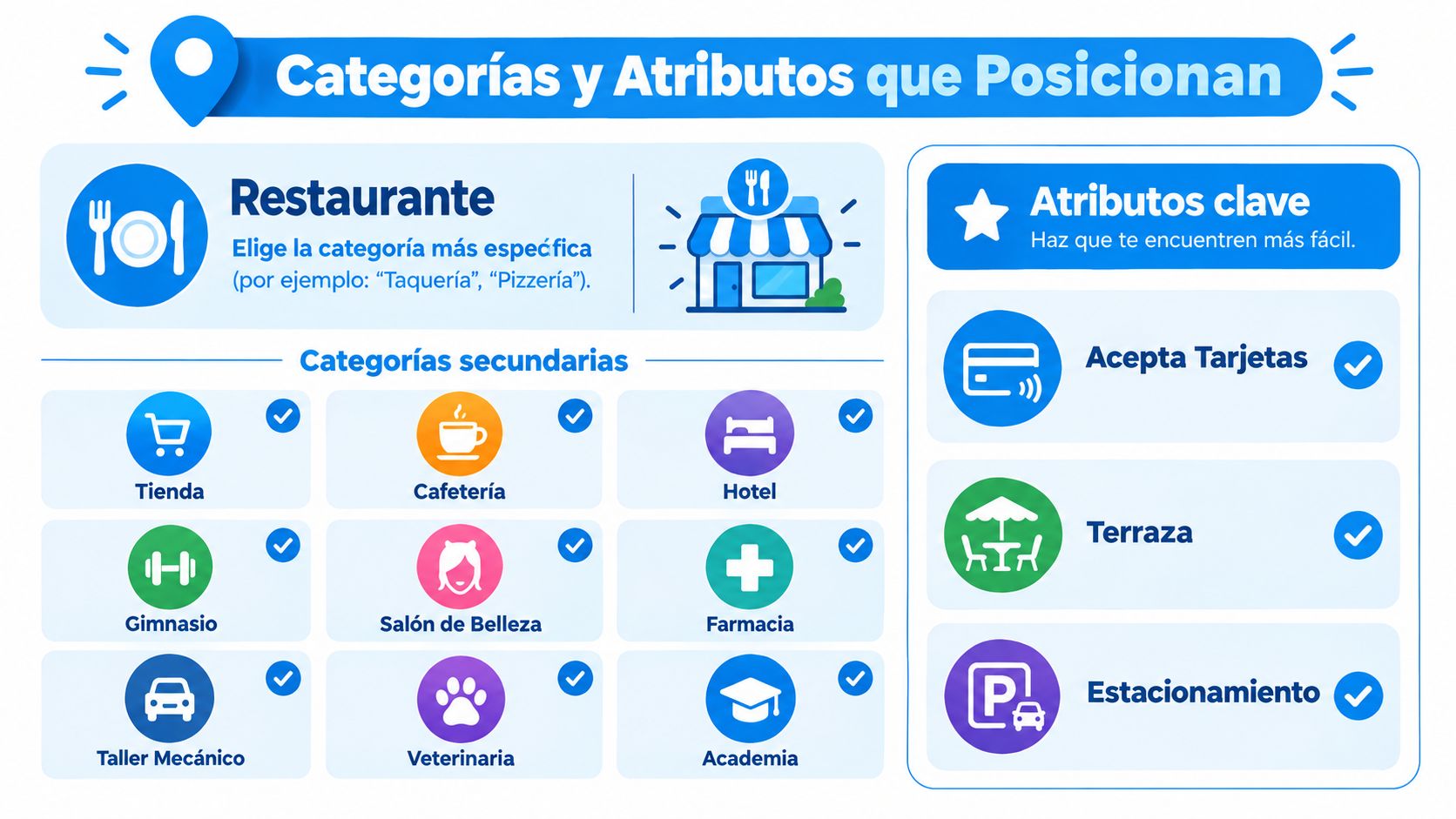
The primary category defines how Google interprets your business. Choose the activity that explains why customers visit, not the word that seems to have the most searches. The official recommendation is to use the fewest number of categories that describe the main business and choose a specific option when it exists.
A taco shop should choose the taco restaurant category. A specialty coffee shop should not appear only as a restaurant. A small local diner, pizzeria, or bar with food needs to represent its primary service. Add secondary categories only if they correspond to services you actually offer. A filler category confuses the profile and attracts the wrong queries.
Attributes answer questions before the visit
Attributes act as decision filters. Activate those that eliminate specific objections:
Experience: ideal for families, kids' menu, outdoor space, and quiet atmosphere.
Convenience: reservations, parking, Wi-Fi, and takeout service.
Accessibility: wheelchair accessible and real entry conditions.
Payment: credit card payment and card tips.
Dietary options: vegetarian, vegan, or gluten-free options, only if real controls exist to fulfill them.
Configure them in this order: first those that prevent a frequent question, then those that differentiate the experience, and finally secondary details. For a coffee shop, Wi-Fi, outlets, patio, and payment methods can decide the visit. In a family restaurant, the kids' menu, parking, and reservations carry more weight. In a barbershop or salon, register accessibility, appointments, and extended hours only if they match the actual operation.
The attribute must be verifiable at the premises. If you advertise gluten-free options, establish how you avoid cross-contamination. If you promise parking, indicate the real condition. An accurate profile receives better queries than a broad list of promises.
Hours by service, not just a single line
General operating hours should show when you serve the public. Declare breakfast, lunch, night bar, Sunday brunch, delivery, takeout, or pickup hours separately when available. If the dining room opens in the morning, but the kitchen starts later, publish both conditions.
A neighborhood restaurant in Mexico City can maintain broad general hours and separate breakfast, lunch, and delivery. This way, customers know what service they will find before traveling, and confirmation calls decrease. Update holidays, seasons, and extraordinary closures before they appear on the profile.
The Google Business Profile resource guide for restaurants includes the editable menu, special hours by service, and specific attributes as profile features. Review these fields every time operations change.
Editable menu and photos that convert searches into visits
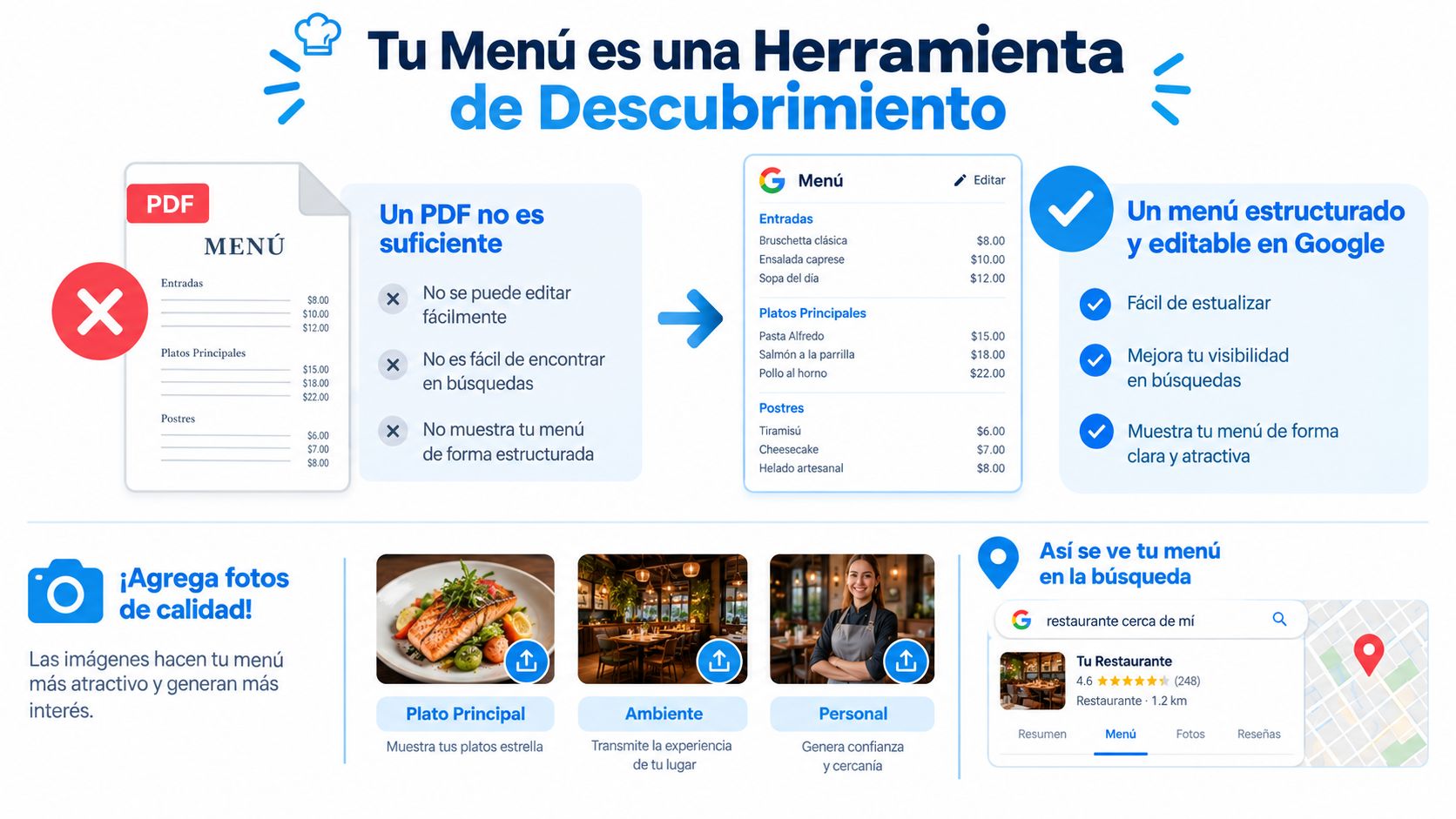
A PDF is not an optimized menu. It is a file that forces the user to open, zoom, and search for information. Google's editable menu can be organized by sections, dishes, descriptions, and prices, so it should be treated as a discovery product that helps the customer decide from Search or Maps.
Structure that responds to intent
The menu should be separated into appetizers, main courses, drinks, desserts, and special options. A taco shop can group tacos, orders, drinks, and combos. A coffee shop can divide coffee, extraction methods, bakery, and food. A family restaurant can highlight a kids' menu and vegetarian options.
Descriptions should be short and concrete. "Tacos al pastor with pineapple, onion, and cilantro" informs more than "a unique culinary experience." Local culinary terms should appear naturally, without artificial repetition. Prices must be kept updated in Mexican pesos and correspond to what the customer will pay at the premises or order channel.
The menu should also support profitability. To better organize sections, dish names, and descriptions, it is useful to review how to design a menu to sell the most profitable dishes.
Visual library with intent
The five priority photos are:
Facade: visible sign and identifiable entrance.
Interior: real atmosphere, tables, and layout.
Signature dish: clear image, without excessive filters.
Bar/Counter: especially useful for coffee shops and bars with food.
Kitchen or service team: faces and authentic operations.
Individual photos per dish work best when they show the product in natural light, with a clean frame and square proportion. As an operational standard, it is best to work with images of at least 720 x 720 pixels, in common formats, and with a reasonable size so they load quickly. The file name can follow a descriptive convention, like tacos-al-pastor-1.jpg, although the name does not replace a complete profile or good photography.
Editorial criteria: every image must answer a question. What does the place look like? What is there to eat? Where do you enter? Who is serving you?
Cover photos should prioritize clarity over spectacularity. A neighborhood restaurant needs to show its actual facade. A coffee shop should show the bar and served cups. A salon or barbershop must show clean stations, lighting, and service results, always with proper permissions for the people pictured.
Reviews as a driver of reputation and repeat business
A negative review appears right when another customer is comparing options on Google Maps. The public response can stop the loss of trust or confirm that the business does not control its operations. Responding to reviews shows that the restaurant is still active, listens, and corrects issues. It also allows regaining customers who had a bad experience.
Use the BLUF protocol to respond firmly and briefly: start with the result or apology, explain the specific context, and end with a verifiable solution. Never argue, reveal personal data, or copy a generic response in every case.
Ready-to-copy templates
Scenario | BLUF Structure | Ready-to-copy example |
|---|---|---|
Wait time | Apology, context, solution | “We apologize for the wait. Service was delayed during your visit and we did not meet our standard. The team has already reviewed the shift operations, and the manager can address this case via direct message.” |
Order error | Acknowledgment, correction, follow-up | “We are sorry that your order arrived incorrectly. We will review the order with the kitchen and service team to prevent this from happening again. The restaurant is available to resolve this directly.” |
Service praise | Appreciation, detail, invitation | “Thank you for recognizing the team's service. We are glad you enjoyed the attention and the dishes. It will be a pleasure to welcome you back to our branch.” |
False or competitor review | Neutrality, request for details, report | “We do not identify a visit matching the described information. The restaurant requests the date and details through a private channel to look into it. If the review does not correspond to a real experience, it will be reported through Google's process.” |
Publish the response within 24 business hours as an internal standard. To ask for reviews, place a QR code on the receipt or send a message after the order. Invite customers to share an honest experience, without conditioning benefits on a positive rating or requesting changes to an existing review.
The benchmark of 1,168 restaurant profiles in Mexico places the median at 182 reviews and 4.4 stars. It also records that 49% of the analyzed restaurants had 4.5 stars or more, while 10% were below 4.0. Use that context to set an operational goal: get recent reviews and answer negative ones seriously, without buying volume or manufacturing enthusiasm.
The 80/20 editorial rule helps distribute the effort: most responses should reinforce specific praise, and a minor part should demonstrate the ability to recover from complaints. Record each incident, its solution, and the subsequent visit. To measure recommendation after service, consult what is NPS.
Posts, offers, and ordering or booking links
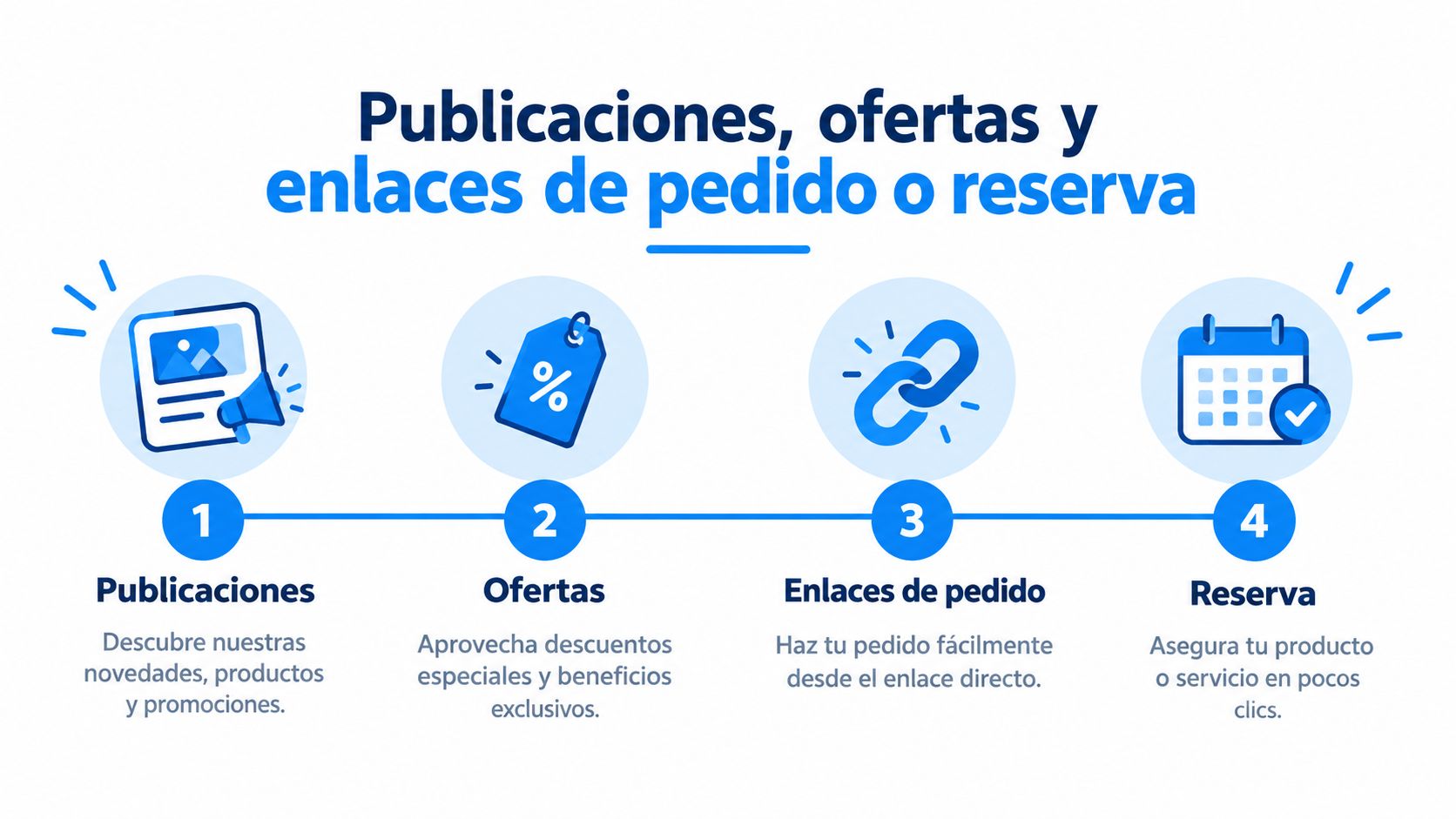
An expired post makes the profile lose credibility. Each entry must answer a specific customer question: what can they consume, book, or order today? Use a clear image, a defined validity period, and a button that leads to a possible action.
Posts with commercial purpose
Organize content according to search intent:
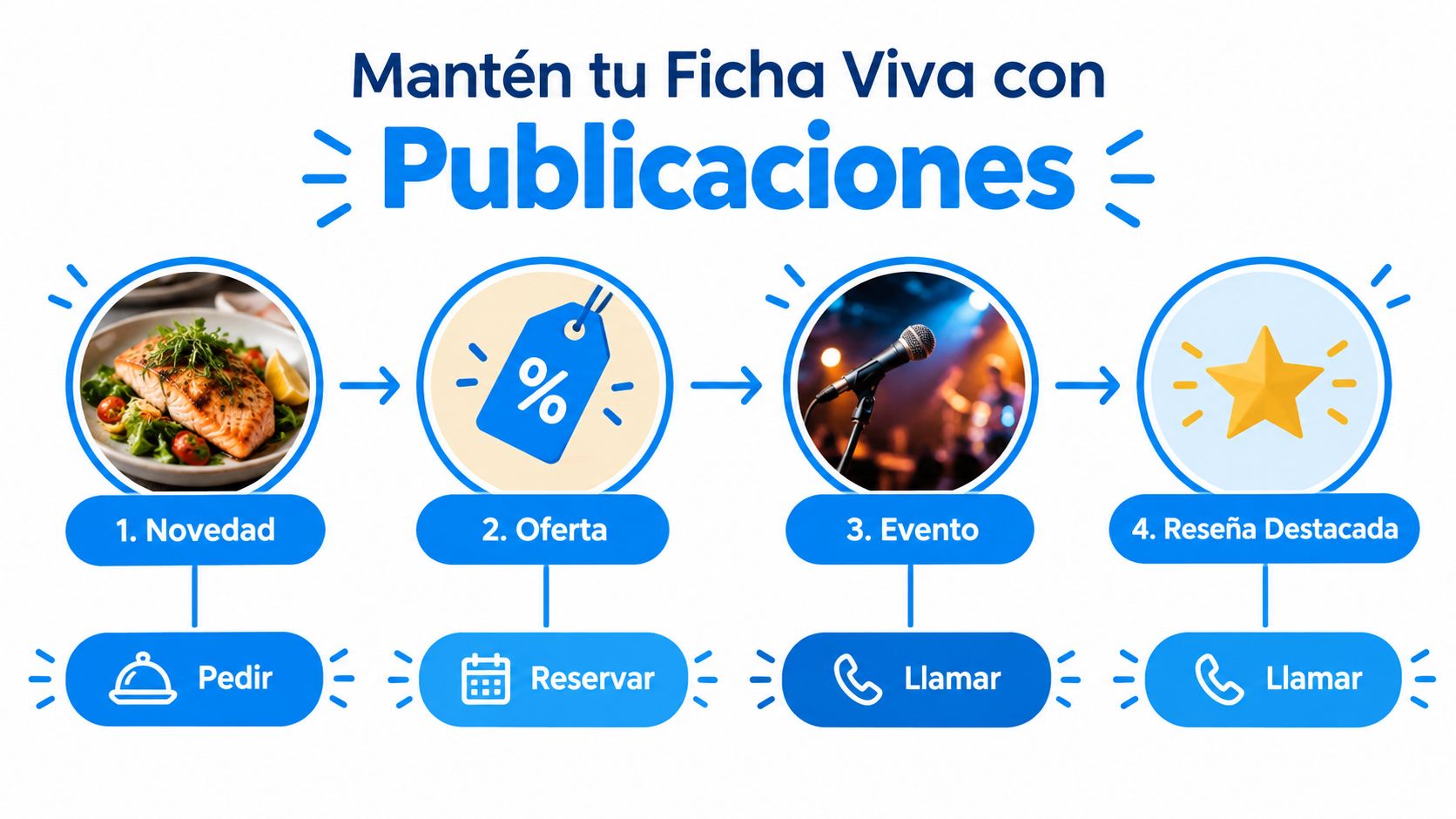
What's New: introduces a dish, seasonal drink, or menu change. Template: "New at [restaurant name]: [product]. Check out the menu and order today."
Offer: activates a combo for Tuesday, a promotion during off-peak hours, or a specific package. Template: "[Combo] for [occasion], available on [days and hours]. Call to order."
Event: communicates live music, a tasting, class, or activity with date, time, and capacity. Template: "[Event] this [day] at [time]. Book your spot."
Featured Product: promotes a family bundle, full breakfast, or signature dish. Template: "[Product] for [type of customer or occasion]. Place your order."
Order links must direct to your own system, a business messaging channel, or the delivery operator that the business actually uses. For bookings, use an active page with visible availability. If the profile shows delivery alternatives, check prices, hours, and times before keeping them active.
Triggers by business type
A restaurant can publish "Dinner to share this Friday, book by message." A coffee shop works best with "Seasonal drink available starting at 8:00 AM, order for pickup." A barbershop can use "Classic haircut, spots available today, book by message." A salon can post "Color and styling for events, reserve your spot."
Realistic calendar for a SMB
Day | Post | Recommended CTA |
|---|---|---|
Monday | New feature of the week | Order |
Tuesday | Offer or combo | Call |
Thursday | Event | Book |
Friday | Featured product | Order |
Do not post just to fill the calendar. Post when there is a commercial reason and remove the content when it ends. Before activating each entry, open the link from a phone, confirm that the product or service is available, and verify that the button works.
Mandatory control: no post should keep an expired promotion, a broken link, or a missing call to action.
Measure results and connect the profile to your CRM
The performance dashboard should be used to make decisions, not just to collect screenshots. Google Business Profile allows you to review searches, views, calls, direction requests, and queries by period, in addition to exporting data to compare locations (official help on profile performance).
The Monday Dashboard
A restaurant manager in Mexico City, Guadalajara, or Monterrey should record every week:
Search views, to know if the profile appears when the user searches.
Map views, to measure geographic exposure.
Phone calls, as a signal of immediate intent.
Website and direction clicks, to observe navigation.
Order or booking clicks, to connect discovery with conversion.
Photo views compared to photo requests, to identify which content attracts interest.
The spreadsheet can have one row per branch and columns per week. The percentage change is calculated as (current period - previous period) / previous period. For calls, directions, and orders, the manager should add an internal alert when the drop exceeds 15%, without presenting that threshold as a Google rule. That alarm serves to check hours, links, photos, menu, availability, or reviews before the problem turns into a sustained loss.
The analysis must cross-reference changes with results. If a branch updated its hours by service and then calls grew, the data deserves follow-up. If dish photos were uploaded and image views increased but not orders, the problem might be in price, availability, or the link, not in visibility.
From the profile to the CRM
A CRM for brick-and-mortar businesses centralizes customers, interactions, and follow-up actions. The explanation of what is a CRM system helps organize that connection without turning it into an endless technical project.
The recommended flow is gradual. First, reviews, leads, and reservations are captured in a common database. Then, forms and channels are connected using automation and the Business Profile API, always respecting permissions and policies. Finally, the restaurant activates three journeys:
Post-visit: message after 48 hours to thank them, request an honest opinion, or share a relevant invitation.
Recovery: contact at 30 days for customers who have not returned.
Segmentation: distinct campaigns according to branch, consumption habits, and average ticket.
30-Day BLUF Checklist
Days 1 to 3: claim, verify, and correct name, address, phone, and map PIN.
Days 4 to 7: define primary category, justified secondary categories, and real attributes.
Days 8 to 10: upload editable menu, current prices, and hours by service.
Days 11 to 14: upload facade, interior, dishes, bar, and team photos.
Days 15 to 18: create order, booking, and contact links; test them from mobile.
Days 19 to 21: request honest reviews via receipt or subsequent message.
Days 22 to 24: respond to pending reviews and report fraudulent content.
Days 25 to 27: publish a what's new, offer, event, or featured product post.
Days 28 to 30: export performance, compare branches, and record decisions.
The manager should print this list, assign responsibilities, and review the dashboard every Monday. The profile stops being an isolated showcase when its data feeds follow-up, recovery, and loyalty.
Swirvle centralizes CRM, loyalty, segmentation, and personalized campaigns so that restaurants and brick-and-mortar businesses convert Google visits into measurable repeat business. Visit Swirvle to connect your profile with WhatsApp, email, rewards, and performance dashboards all from one place.
Related Blogs

Oct 22, 2026
How to prevent employee petty theft in my business?

Oct 21, 2026
How to Control Food Waste in a Restaurant: 2026 Guide

Oct 20, 2026
What is the global invoice for the general public and when is it issued? SAT Guide

Oct 19, 2026
How to take restaurant orders on WhatsApp without losing any?

Oct 18, 2026
How to Create a WhatsApp Business Catalog to Sell More: 2026 Guide

Oct 17, 2026
How to set up quick replies in WhatsApp Business?