Discover how point-of-sale software can transform your SMB in LATAM. Guide on features, benefits, ROI, and how to choose the best POS system.
If you run your business today using a mix of a notebook, Excel, WhatsApp, and memory, you are not alone. In Puebla, I see this often in coffee shops, pharmacies, barbershops, and small restaurants. The problem is not just the clutter. The problem is that this model forces you to react all day instead of leading.
In practice, a business without a centralized system operates with gaps. You do not know for sure which product rotates the most, which cashier makes mistakes most often, which customer has stopped returning, or which branch needs restocking before the weekend. And when it is time to grow, that disorganization comes at a high price.
A well-chosen point of sale software changes that dynamic. Not because it "digitalizes" for the sake of fashion, but because it brings sales, inventory, customers, and invoicing together in a single flow. That gives you control. And control, in an SME, translates into better decisions.
The Reality of Your Business Without a Centralized System
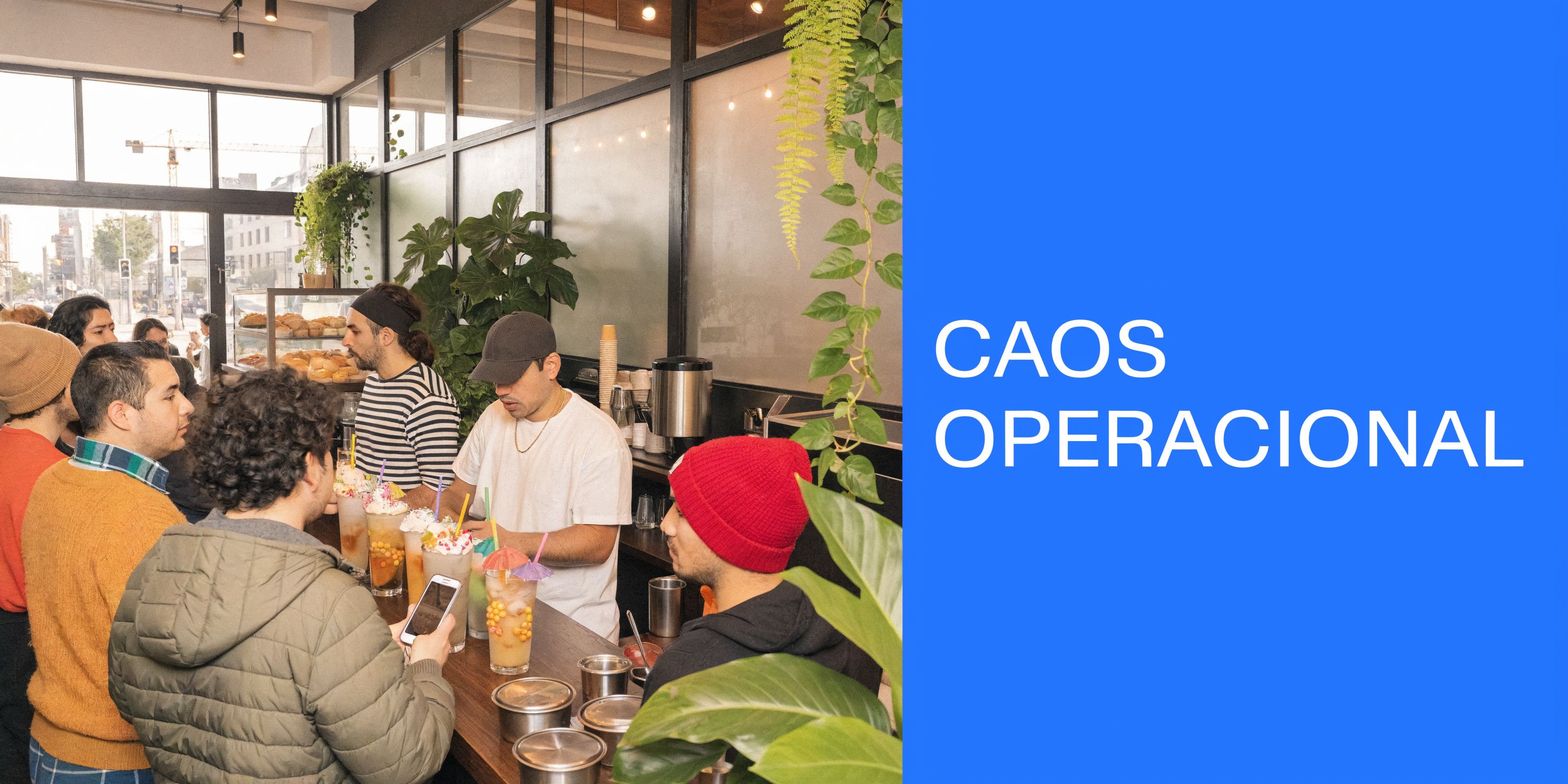
At 8:30 in the morning, a coffee shop opens. At the register, someone orders a latte with lactose-free milk. At the counter, they ask if there is still vanilla syrup. A customer wants an invoice at that moment. Another customer says they accumulated points last time, but no one can find their record. This is how the day begins in many businesses.
What seems small piles up
Each mistake on its own seems manageable. An incorrectly charged ticket. An out-of-stock product that no one reported. An invoice that is sent late. A frequent customer who does not receive their benefit.
Together, those details wear down the operation.
In an ice cream parlor in Yucatán, this is usually seen in flavors that run out before the peak hour. In a barbershop in the State of Mexico, it appears as poorly scheduled appointments or services charged without a clear record. In a pharmacy in Puebla, the risk rises because control of the catalog has to be precise and constant.
The owner ends up putting out fires
When there is no centralized system, the owner becomes the "manual integrator" of the business. They check the register, correct inventory, answer staff questions, look for invoices, and also try to sell more.
That does not scale.
Rule of thumb: if knowing how your business is doing requires asking three people and checking two different sheets, you are already operating with too much friction.
I have seen businesses with a good product and stable clientele stall for this very reason. Not because they lack demand, but because they lack visibility. And when you cannot see your operation clearly, you buy poorly, charge slowly, and build loyalty worse.
Operational peace also sells
An orderly system does not just reduce stress. It also improves the customer experience. The line moves faster. The ticket comes out clear. The invoice does not become a promise. The staff knows what to do.
This is especially noticeable in lines of business with frequent customization:
Coffee Shops: changes in milk, temperature, extras, and sizes.
Restaurants: omitted ingredients, sides, and kitchen notes.
Pharmacies: quick product search and stock control.
Barbershops: recurring services, history, and follow-up.
When the operation flows, the business stops depending so much on "who remembers." It starts to depend on processes. And that is where a point of sale software stops being a technology expense and becomes a growth tool.
What is Point of Sale Software and Why Your SME Needs It
A point of sale software is not just a pretty cash register on a tablet. It is the system that records each sale and connects that sale with inventory, customers, cash drawer tallies, receipts, and, in many cases, invoicing.
Think of it as the nervous system of the business
When the server processes a payment, the system should not limit itself to printing a receipt. It should also deduct supplies or products, record what the customer bought, update reports, and leave the transaction ready for review.
That is what makes a POS useful. It centralizes.
A traditional register tells you how much came in. A well-implemented POS tells you what was sold, when it was sold, who sold it, and what effect it had on your operation.
Why it matters more than it seems
In small businesses, many decisions are still made "by estimation." Items are bought because "surely they will sell." A dish is kept because "I think it does sell well." A promo is launched without knowing who to send it to.
That method holds up very little.
In states with strong competition like Nuevo León, 65% of food and beverage SMEs report an annual customer return rate of less than 30%, making it urgent to have loyalty tools integrated into the POS. If your customers are not returning frequently enough, you need more than a good cash register. You need follow-up.
What changes in real businesses
In an ice cream shop in Mérida, a POS helps detect which flavors sell by time of day and which ones are only taking up space in the freezer.
In a pharmacy in Puebla, it allows for a better organization of the catalog and faster service at the counter.
In a coffee shop, the value goes up even more when the system allows for modifiers. If a customer orders their coffee with lactose-free milk, an extra shot, or no sugar, the staff registers it without improvising. That detail seems operational, but it affects speed, accuracy, and satisfaction.
By showing not only the top-selling products but the sales of all products, you can optimize your menu, removing products that do not sell and varying popular products.
That kind of decision no longer comes from intuition. It comes from sales data.
Signs that you already need it
Not all SMEs start with a POS on day one. But there are clear signs that you are already missing it:
Your cash register does not balance regularly: if closing depends on manually reconstructing sales, you are already late.
Your inventory is corrected "by hand": that almost always ends up in shortages or over-purchasing.
Invoices are issued after the sale: when the customer has to chase you for an invoice, the process is broken.
You do not know who is returning: if you do not identify frequent customers, you are leaving money on the table.
Your operation depends on the most experienced employee: when that person is absent, chaos appears.
A good point of sale software does not solve everything on its own. But it does create the foundation for the business to stop operating by memory and start operating with criteria.
Essential Features That Transform Your Business
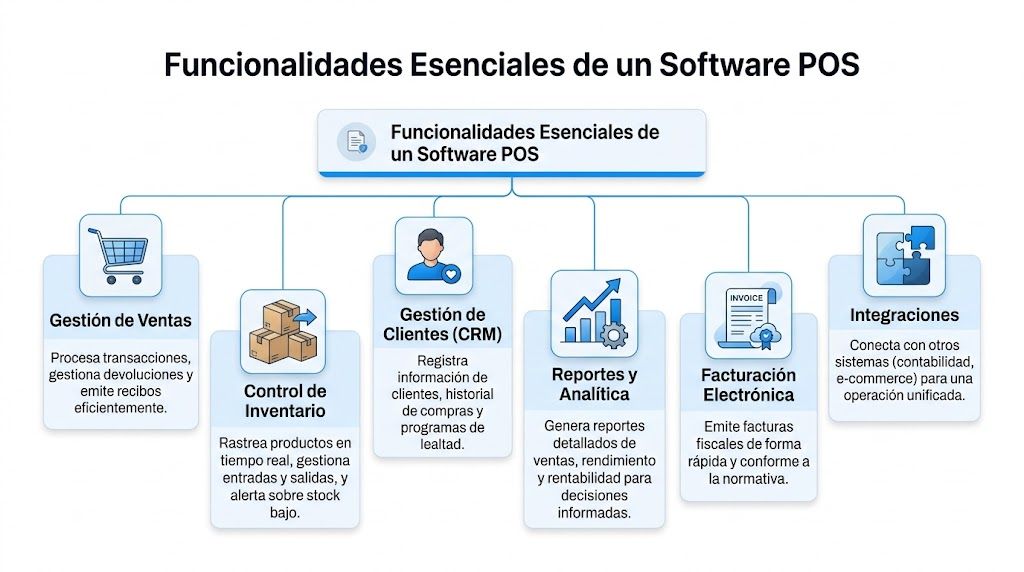
Not all POS systems serve the same purpose. Some process payments well but are weak on inventory. Others have decent reports but complicate daily operations. For an SME in Puebla, it is practical to evaluate the features that actually change the business in practice.
Fast sales and accurate entry
The first test of any POS is simple. Does it allow for fast transactions without sacrificing accuracy?
In coffee shops, restaurants, and ice cream parlors, this means handling product variants without writing down improvised notes. Modifiers matter. "No onion," "extra avocado," "with lactose-free milk," or "double scoop in a cone" have to exist within the sales flow.
If the system does not solve that, the team invents shortcuts. And shortcuts break reports, the kitchen, and inventory.
A business owner who works with a POS every day summed it up well: customizing dishes and drinks, along with integration with the loyalty program, was one of the main operational challenges they managed to organize.
Real-time inventory
This is where many businesses discover they were selling "blindly." In Mexico, 80% of retail PyMEs face inventory challenges, and point of sale software can reduce stock errors by 45% by synchronizing sales and inventory in real time (data from TEC Electrónica).
That has a direct impact at the counter.
Boutiques: you avoid selling a size that is no longer available.
Pharmacies: you see real outflows before running out of a key product.
Restaurants: you anticipate purchases instead of discovering shortages during peak hours.
If you want to go deeper into this operational part, it is worth checking out how a point of sale with inventory works and what changes when stock is updated with each transaction.
A "more or less correct" inventory is not enough. In retail and food, profits are lost in small differences repeated every day.
Native electronic invoicing
In Mexico, this point is not optional. If your business invoices and the POS is not properly aligned with CFDI 4.0, problems will soon arise.
It is not enough for it "to be integrated later." The healthy way is for invoicing to be a natural part of the flow. The customer buys, requests an invoice, and the process goes through without rework from the staff.
In real operations, this takes a load off the cashier team and reduces friction with the customer. In coffee shops and restaurants, where ticket volume can be high, that difference is felt from the very first week.
A case shared by users of this type of system makes it clear: automatic invoicing, where customers generate their own invoice, ends up being one of the most used features because it frees up time and avoids unnecessary lines.
Integrated CRM and loyalty
Many businesses have a POS on one side and loyalty on another. That usually creates separate databases, poor campaigns, and little traceability.
When the CRM is connected to the point of sale, the business can identify habits, recognize visits, and activate campaigns with better logic. You do not just send a promotion. You send it to whom it makes sense.
This is very useful in industries with frequent repeat purchases:
Coffee Shops: visits per week and rewards for recurring consumption.
Barbershops: return reminders based on history.
Pharmacies: follow-up on routine purchases.
Restaurants: campaigns for customers who have stopped visiting.
In this type of operation, a platform like Swirvle can work as an option when looking for a POS with integrated CRM and loyalty program, including campaigns and segmentation from the same workspace.
Reports that actually help make decisions
The right report does not just tell you what was a "top seller." It also lets you see what is not rotating, what is sold by hour, by branch, or by employee.
That nuance matters.
A good report does not confirm intuitions. It corrects them.
A food business shared a very useful observation: by reviewing the sales of all products, not just the top sellers, they were able to optimize their menu by removing products that did not move and varying those that did have demand. That is a concrete decision with a real effect on costs, operation, and commercial focus.
POS Software in Action: Use Cases for Mexican SMEs
The clearest way to understand point of sale software is to see it in day-to-day action. Not as a spec sheet, but as an operational tool.
Restaurant in Monterrey
A medium-sized restaurant does not just struggle with payments. It struggles to coordinate tables, the kitchen, the register, and frequent customers all at the same time.
In that context, a useful POS allows taking the order from a tablet, sending it to the kitchen, and recording modifiers without confusion. "No onion," "extra avocado," or "flour tortilla" stop being lost notes and become part of the flow.
In addition, when the system connects with automated campaigns, the business can reactivate customers with better criteria. Advanced POS software with AI can increase purchase frequency by 28% for Mexican PyMEs through automated and segmented campaigns via WhatsApp and push notifications. For those who operate food and table service, that type of follow-up stops being "marketing" and becomes repeat business.
If your industry is food and you want to implement this scenario, review this approach of a point of sale system for restaurants.
Boutique in Baja California
In retail, the pain is not always at the register. Many times it lies in the lack of coordination between the sales floor, inventory, and catalog.
Think of a boutique with garments by size and color. If the physical store sells an item and the system does not update stock at the moment, the next problem arrives via WhatsApp, Instagram, or e-commerce. Someone asks for a size that "according to the system" was available, but is no longer.
With a well-configured POS, the owner can check which colors sell best, which ones stall, and which lines deserve more space. That information is not just useful for selling today. It is useful for buying better next season.
Barbershop in the State of Mexico
In services, the value of the POS changes. Here, counter inventory does not matter as much as customer continuity.
A barbershop can use it to charge, record the service, save notes, and prepare the next visit. If, in addition, the system keeps a history, the barber knows what haircut the customer ordered last time and what products they purchased.
That improves service and also consistency. The customer feels recognized by the business.
Pharmacy in Puebla
In small and medium-sized pharmacies, the counter pace demands speed. People do not want to wait while staff looks up prices, confirms stock, or writes down details for later invoicing.
The POS brings order to the catalog, clarity to checkout, and better tracking of recurring purchases. It also helps detect patterns. There are products that sell by season, others by zone, and others by routine recommendation. Without a system, that is guessed. With a system, it is seen.
Coffee Shop in Mexico City
In urban coffee shops, the pressure is in the detail. High volume, lots of customizations, and low tolerance for errors.
When the point of sale includes modifiers, loyalty, and invoicing in the same flow, checkout stops being a bottleneck. The team provides better service and the owner no longer has to resolve exceptions all the time.
Not all industries use the POS the same way. But in all of them, the pattern repeats. When sales, customers, and operations live in separate systems, the business loses time and clarity. When they are unified, execution improves.
How to Choose the Right Point of Sale Software
Choosing a POS solely based on price is one of the most common mistakes. It is cheap at the start and expensive in operation. The correct way is to evaluate if the system fits your way of selling today and the way you will sell in one or two years.
First is ease of use
If your team needs too many steps to charge, make returns, or apply modifiers, adoption stalls. And if adoption stalls, the system ends up "half-used."
In businesses with high staff turnover, this weighs heavily. An intuitive system reduces errors and accelerates training. In an experience shared by users, training took 1 day because the system was simple and intuitive to use. Not all tools achieve that.
Second is what happens when you grow
Many owners buy thinking of a single register. Months later, they already need to manage another branch, another catalog, or a more orderly frequent customer program.
Look for a provider that can accompany you if you open a second location in Puebla, if you add local delivery, or if you decide to separate inventory by branch. Changing POS when you have already grown costs more than choosing well from the start.
Mexico requires checking invoicing for real
Here, it is not enough to ask "does it invoice?". The correct question is how it invoices, how well-integrated it is into the daily flow, and who resolves issues.
More than 65% of retail SMEs in Mexico reported errors in electronic invoicing (CFDI 4.0) that generated average fines of 15,000 MXN, a risk that a good POS must mitigate natively (data cited by Square).
If you sell at the counter and invoice frequently, this part deserves a detailed review. Do not leave it as "we'll look into it later with the accountant."
Local support and sales channels
You also have to see who helps you when something fails. In LATAM, that detail changes the entire experience. A provider can have a good interface, but if they take too long to respond or do not understand Mexico's tax and operational context, the operation suffers.
And there is another increasingly important filter. Integration with communication channels like WhatsApp. It is no longer enough to record the sale. It is useful for the system to help reactivate customers and follow up after the purchase, as long as that makes sense for your industry.
Checklist to Evaluate POS Software Providers
Evaluation Criterion | Key Question to Ask | Priority |
|---|---|---|
Ease of use | How many hours or days does my team need to checkout with confidence? | High |
Modifiers and variants | Does it allow customizing products and services without using manual notes? | High |
Inventory | Does it update stock in real time by product and by branch? | High |
CFDI 4.0 Invoicing | Is invoicing natively integrated into the sales flow? | High |
CRM and loyalty | Does it save customer history and allow activating segmented campaigns? | High |
Multi-branch | Can I manage multiple locations without changing systems? | Medium |
Reports | Can I see sales by product, time, employee, and category? | High |
Support | Do they assist me in Spanish and during useful hours for my operation? | High |
Integrations | Does it connect with accounting, e-commerce, or marketing tools? | Medium |
Hardware | Does it work with the equipment I already have or require buying everything brand new? | Medium |
If a provider answers the demo well but fails your operational questions, keep looking.
Successful Implementation of Your New POS System in 4 Steps
Choosing well matters. Implementing well matters even more. I have seen businesses buy a good system and ruin it by uploading the catalog poorly, not training the team, or starting on a Friday afternoon.
Step 1: Prepare the operation
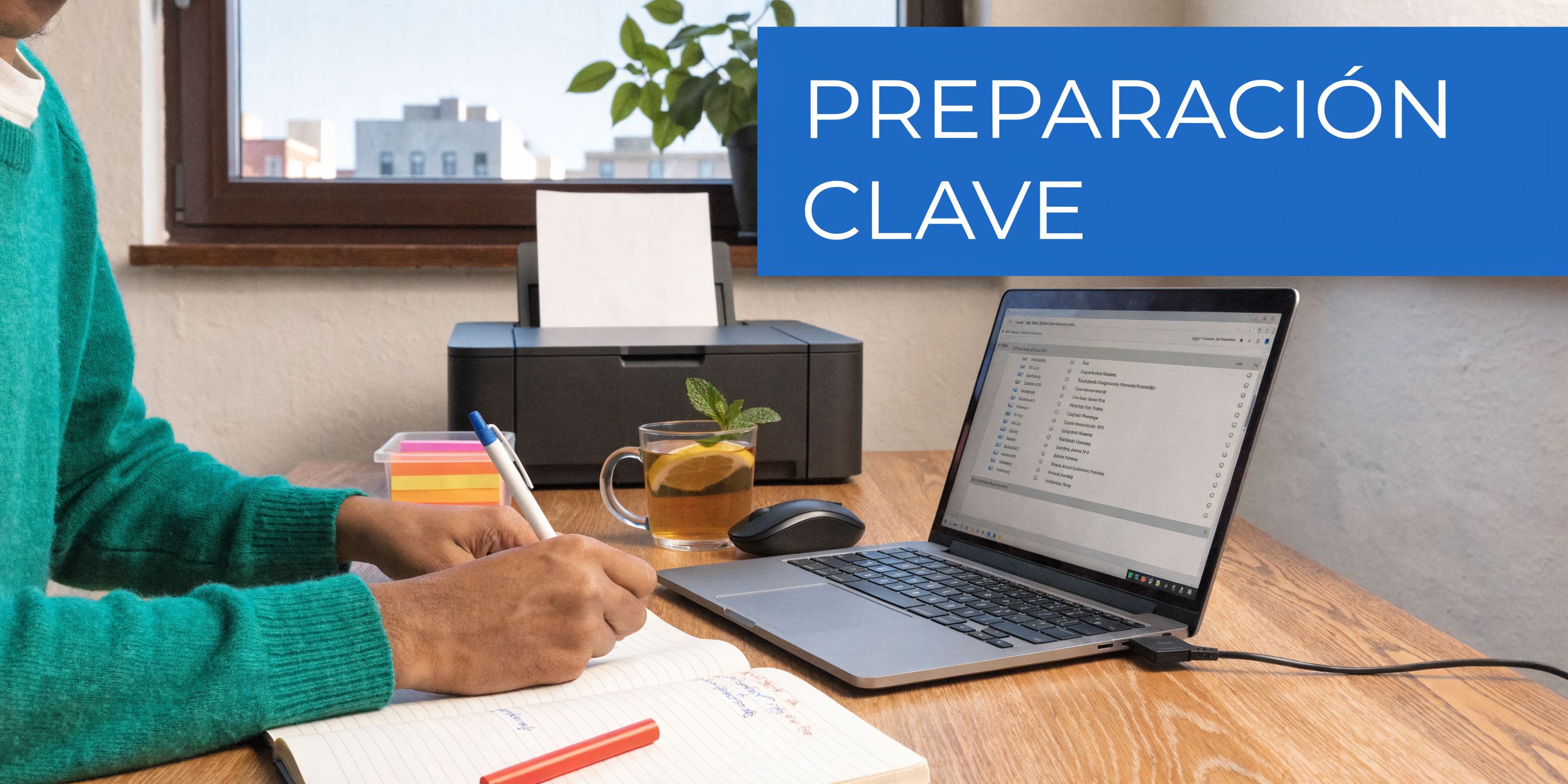
Before launching, gather the basics in one place. Product catalog, prices, taxes, combos, services, frequent customers, and invoicing rules.
Also check the physical equipment. If you are still defining terminals, tablets, or peripherals, this guide on point of sale computers helps you pinpoint what to check before buying.
Step 2: Configure with business logic
Do not upload products just "to get it over with." Structure categories, names, and variants in an orderly manner.
In food, spend time on modifiers. In retail, on sizes and colors. In services, on appointment types and duration. What is poorly configured at the start later pollutes reports, checkouts, and team experience.
Step 3: Train with real scenarios
The best training is not a long presentation. It is guided practice.
Have the team simulate real sales:
Customer requesting an invoice: from purchase to correct issuance.
Product with variant: for example, coffee with lactose-free milk.
Exchange or return: to avoid improvising at the register.
Frequent customer: using loyalty, points, or identification.
In an experience reported by users, the team learned the system in 1 day because the interface was intuitive and training focused on real counter tasks. That approach works better than overwhelming staff with features they are not going to use yet.
Step 4: Start small and monitor
Do not launch the new system on your busiest day. Start on a manageable day.
Check during the first few days if tickets come out correctly, if inventory is deducted as it should, and if invoicing runs smoothly. If your POS includes campaigns or customer follow-up, leave that for a second phase, once checkout and operations are stable.
In this phase, it is also highly valuable to review communication capabilities. The use of WhatsApp for marketing in Mexico's retail sector grew 45% in the last year, but only 15% of POS software offers native integration, which creates an advantage for those who do integrate it (data cited by Cegid).
There is no need to activate everything on the first day. It is necessary for the basics to work flawlessly.
Conclusion: Your Next Step Towards Growth
You do not buy point of sale software to look modern. You implement it to operate better. That difference completely changes the decision.
If you have an SME in Puebla and are about to adopt your first POS, focus on what actually moves the business. Clear checkout. Reliable inventory. Invoicing that does not get you into trouble. Identified customers. Reports that help you decide what to sell, what to remove, and who to contact again.
In Monterrey, I have seen that businesses that grow with more order are not always the ones that start with the biggest budget. They are the ones that understand earliest where control is leaking. Sometimes the leak is at checkout. Sometimes in inventory. Sometimes in that no one follows up with customers who already bought from you.
The good news is that a well-chosen POS lets you fix several of those leaks at the same time. It gives you structure to sell today and a foundation to scale tomorrow.
You do not need the system with the most features in a sales presentation. You need the one that fits your real operation, your team, and your growth plans. If you choose wisely and implement with discipline, the point of sale stops being an administrative tool. It becomes a leverage point for profitability.
Are you looking for a point of sale software that also makes your customers return? Swirvle POS brings together checkout, an inventory that updates with each sale, live reports by branch, and an included loyalty program in a single system. All in the cloud and designed for coffee shops, restaurants, and stores with a physical branch. Learn about Swirvle POS →
Related Blogs

Oct 22, 2026
How to prevent employee petty theft in my business?

Oct 21, 2026
How to Control Food Waste in a Restaurant: 2026 Guide

Oct 20, 2026
What is the global invoice for the general public and when is it issued? SAT Guide

Oct 19, 2026
How to take restaurant orders on WhatsApp without losing any?

Oct 18, 2026
How to Create a WhatsApp Business Catalog to Sell More: 2026 Guide

Oct 17, 2026
How to set up quick replies in WhatsApp Business?