Discover what inventory software is, its benefits, and how to choose the ideal one for your SMB in Mexico. Optimize your stock and increase profitability.
An inventory software helps you know what is in stock, what is missing, and what to buy —with less reliance on memory. This is a decision guide: Excel vs. dedicated software vs. POS with inventory, plus a first-week checklist. If you already collect payments and want stock to decrease automatically, prioritize POS with inventory; the daily log is under inventory registration.
Excel vs. standalone inventory software vs. POS with inventory
Option | For whom | When to make the leap |
|---|---|---|
Excel | Small catalog, one person in charge, low volume | When there are weekly errors, multiple shifts, or SKUs that no longer fit on one sheet |
Standalone inventory software | Complex warehouse/purchasing without unified checkout | When you need advanced purchasing but checkout remains on another system |
POS with inventory | SMB that sells and wants to deduct inventory upon checkout | When the pain point is "I sold what I didn't have" or double data entry |
Implementation checklist — first week
Freeze the catalog (name, SKU, unit).
Actual initial count (not "approximate").
Define minimum levels for A-items.
Roles: who adjusts stock levels.
Purchase receiving routine.
A trial Friday cutoff vs. sample count.
Grocery stores: grocery store software. Plans: plans and pricing.
Smart control of your business's engine
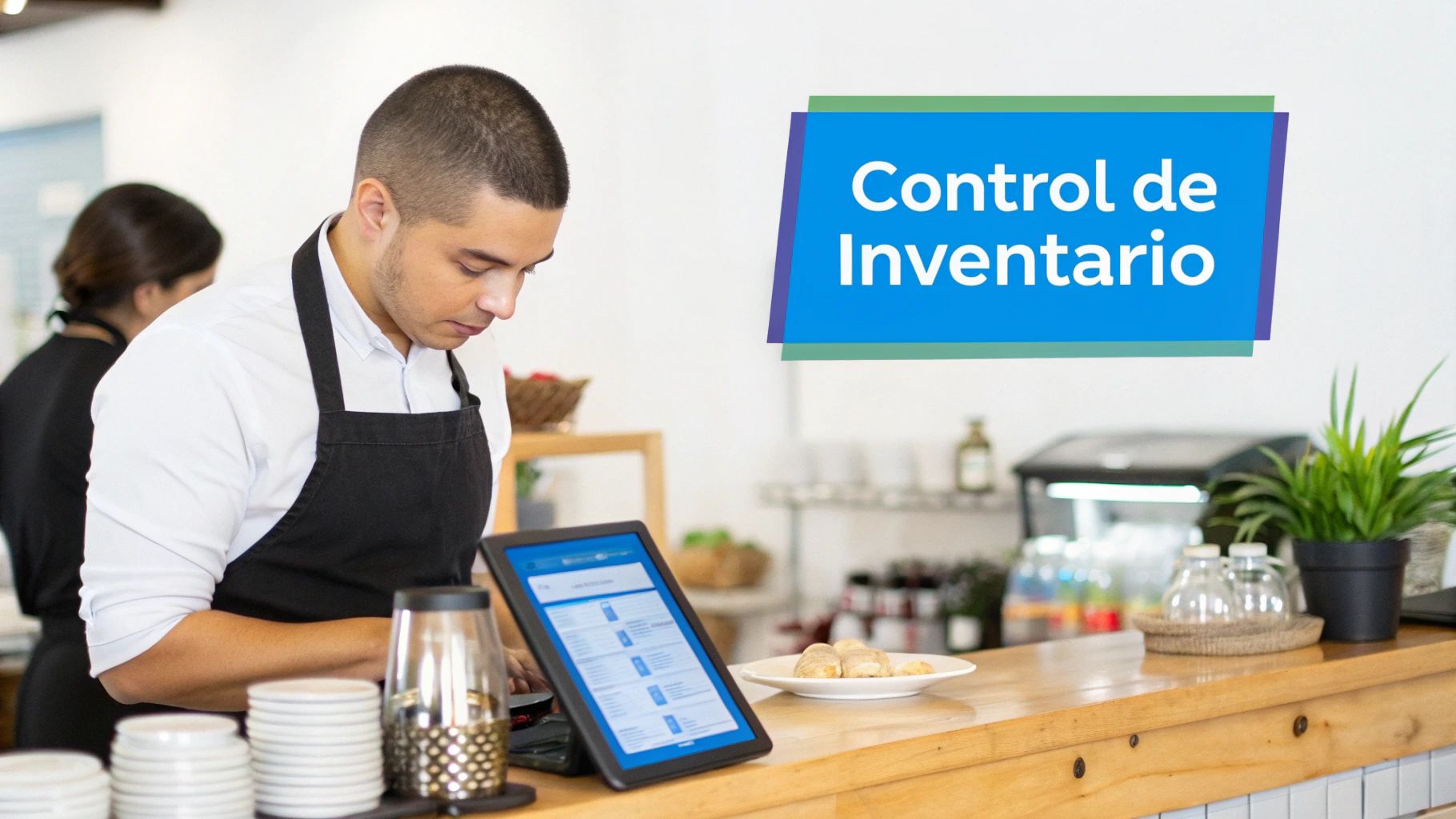
Think of your inventory as the engine of your business. If you don't know how much gas is left, when to refill, or what type of fuel gives you the best performance, it's only a matter of time before you get stranded on the road. Relying on manual methods to manage your stock is like trying to navigate a storm with a hand-drawn map: too much risk for too little efficiency.
A modern inventory software is the digital control dashboard for that engine. Its function goes far beyond counting boxes. It gives you the necessary intelligence to make strategic decisions that directly reflect on your bottom line.
From counting boxes to anticipating the play
The most radical shift between manual control and an automated system is that you stop reacting to problems and start anticipating them. Instead of realizing you ran out of a key product right when a customer asks for it, the software alerts you in advance so you can restock.
Imagine a specialty coffee shop whose star product is coffee beans from Chiapas. This is what the difference looks like:
Manual management: The barista discovers midway through a Saturday morning that only one bag is left. The outcome is inevitable: lost sales over the weekend and disappointed loyal customers who went specifically for that coffee.
With inventory software: The system detects that the Chiapas coffee bean stock dropped to its minimum level on Thursday and sends an automatic alert. The owner places the order on time. The product is never out of stock.
This visibility completely transforms daily operations. You go from putting out fires to proactive management.
A good inventory software doesn't just manage what you have; it optimizes what you sell. It analyzes the data to show you which products are your stars, which ones are sitting on the shelf, and where, without knowing it, you might be losing money.
A strategic investment for SMBs in Mexico
In a market as competitive as the Mexican one, efficiency is no longer a luxury—it is a condition to survive and grow. Many SMB owners still believe these tools are exclusive to large corporations, but the reality is that their impact is even greater in small and medium-sized businesses.
Think of a barbershop that also sells beard waxes and oils. Without a system, it is very easy to fall into the trap of overbuying a product that a supplier recommended but customers rarely ask for. That money sits idle on the shelf. With software, the owner clearly sees that a specific wax has not rotated in months, allowing them to invest that capital in the oil that actually sells like hotcakes.
Market figures confirm this. Globally, the inventory management software sector reached a value of 2.31 billion dollars and is projected to reach 4.79 billion by 2032. The most interesting part is that SMBs in Mexico are leading this adoption, driven by affordable solutions that integrate with their point of sale (POS) and CRM systems, unifying their entire operation. If you are interested in the topic, you can read the complete analysis of inventory management software market trends.
Benefits of automating your inventory
Leaving spreadsheets behind to manage your inventory is much more than a simple technology upgrade; it is a strategic move that puts you several steps ahead of the competition. Automating this process fundamentally transforms your business operations, giving you unprecedented control over your most valuable resources: your capital and your team's time.

Results do not take long to appear. They are noticed day-to-day, directly impacting profitability and operational efficiency. Let's break down four key advantages that an automated system brings to your business, whether it is a small shop or a growing franchise.
Reduces losses from shrinkage and expiration
In any business that handles perishable products, one of the biggest "silent thieves" of profits is shrinkage. It is that product that spoils, expires, or gets damaged before it can be sold. An inventory software acts as a 24/7 guardian, watching over your most time-sensitive items.
Think of a coffee shop that uses fresh fruit. Without a system, it is very easy to lose track of which batch of strawberries arrived first. The result is inevitable: at the end of the week, they end up throwing away product that can no longer be used, and with it, a portion of the profits goes away.
With an automated system, the coffee shop receives proactive alerts about ingredients that are about to expire. This gives the barista the opportunity to create a special drink of the day or a promotion, turning a certain loss into a profitable sale.
This smart management not only saves money but also fosters a more sustainable operation, a value that today's customers appreciate more and more.
Optimizes your working capital
Every product in your warehouse that does not sell is, in essence, stagnant money. Excess inventory ties up your capital, preventing you from using it in areas that actually drive growth, such as marketing, expansion, or buying products that do rotate.
Imagine a car wash that also sells car cleaning products. Without clear data, the owner might keep buying an expensive type of wax just because a supplier recommended it, without realizing that barely one in 20 customers asks for it.
An inventory software analyzes sales history and shows you, in numbers, what is actually selling. Thus, the car wash owner can:
Reduce purchases of low-rotation wax.
Invest more in the standard shampoo that 80% of their customers prefer.
Free up cash flow to pay suppliers or invest in new equipment.
This capital optimization is vital for the financial health of any SMB or franchise.
Radically improves customer experience
"We are out of stock." Few phrases frustrate a customer ready to buy more. A lack of stock is not just a lost sale; it is a blow to trust and the perception of your business's reliability. Basically, it is an invitation for your customer to go to the competition.
Let's think of a barbershop that sells beard care products. If a loyal customer goes to buy their regular oil and cannot find it, it is highly likely that next time they won't even bother going and will buy it elsewhere.
A good inventory system ensures that your star products are always available. How? By setting up minimum stock alerts that notify you when product levels reach a critical point, so you can place the order on time. The result is a happy customer who always finds what they are looking for.
Increases your team's productivity
Let's be honest: manual inventory counts are a nightmare. They are long, tedious processes filled with human error. Worse yet, they consume valuable hours that your team could be investing in revenue-generating tasks, like helping customers or closing sales.
By automating inventory tracking, you take that operational burden off your staff. Instead of spending hours counting boxes in the warehouse, they can focus on improving product displays, better advising customers, or running sales campaigns. This not only boosts team morale but also translates directly into more revenue.
Additionally, by automating, your business starts generating a large amount of data. If you want to learn to interpret this information to make better decisions, it is useful to understand the basics of data science.
This data becomes your best strategic ally. To dive deeper into how to use it, we recommend reading our article on data-driven decision making.
Manual vs. Software Inventory Management Comparison
To better visualize the qualitative leap, we have prepared a table comparing both methods side-by-side.
This chart compares typical results and processes of manual management (using spreadsheets) versus automated management with software, highlighting improvements in efficiency, accuracy, and profitability.
Aspect to Manage | Manual Management (Spreadsheets) | Management with Inventory Software |
|---|---|---|
Data accuracy | Low, prone to human error. | High, with real-time updated data. |
Time invested | High. Hours spent on manual counts and entry. | Minimal. Automatic updates with each sale. |
Stock visibility | Poor. Hard to know what is currently available. | Total. Complete visibility across all branches. |
Shrinkage management | Reactive. Loss is discovered after it has already occurred. | Proactive. Expiration alerts to prevent losses. |
Replenishment | Based on intuition, with risk of overstocking. | Data-driven, with minimum stock alerts. |
Decision making | Based on assumptions and outdated data. | Based on precise reports and sales trends. |
Customer experience | Inconsistent, with frequent out-of-stock situations. | Consistent and reliable, increasing satisfaction. |
As you can see, the difference is not subtle. Adopting software is not an expense, but a direct investment in the efficiency, profitability, and future of your business.
Must-have features your inventory software must possess
Choosing an inventory software can be a real headache. The market is flooded with options, all promising to be the ultimate solution for your business. But the reality is that not all features are created equal. The key is knowing which ones solve real problems and fit into your day-to-day operations.
A good system is much more than a simple product counter. Think of it as the brain of your operation: it connects sales, purchases, and stock in a flow of information that is always live and, above all, accurate. Now, let's break down those indispensable functions that transform software from an expense into a smart investment.
Real-time stock control with alerts
This is the foundation of everything, the function that gives you results from day one. Imagine you have a packed car wash on a Saturday morning. If you suddenly run out of the premium wax that everyone is asking for, you are not only losing high-margin sales, but people leave with a bad taste in their mouth.
Real-time stock control avoids precisely that. Every time you sell something at your point of sale, the inventory is instantly deducted. No more manual counts at 11 PM to know what to order for the next day.
But the real magic lies in the minimum stock alerts. You set a threshold for each item and, when stock reaches that critical point, the system sends you a notification. You stop putting out fires and start anticipating what your business needs.
Batch and expiration date management
If you handle products that spoil or have expiration dates, this feature is not an extra—it is a requirement. Think of a grocery store with dairy or a pharmacy. Without tight control, shrinkage from expired products eats away at your profits.
A competent inventory software allows you to register each incoming group of products with its own batch number and expiration date. This gives you incredible power to:
Apply FIFO (First In, First Out) method: This ensures that what entered first is sold first, minimizing losses.
Receive expiration alerts: The system warns you in advance (weeks or days, depending on your setup) before a batch expires. This gives you room to run a promotion and at least recover cost.
Manage returns or recalls: If a supplier alerts you about a defective batch, you can locate it in seconds and remove it from sale to protect your customers.
Recipe and modifier management
For any food or beverage business, this is the function that separates professionals from amateurs. In a pizzeria, for example, when you sell a pizza, "one pizza" is not deducted from inventory. Grams of flour, cheese, milliliters of sauce, and every ingredient are deducted separately. Trying to do this by hand is a recipe for disaster.
The recipe module allows you to create what are known as "composite products." You define precisely what ingredients and in what exact quantity make up each dish. This way, when your coffee shop sells an "Almond milk latte," the system automatically deducts:
1 shot of coffee.
200 ml of almond milk.
1 cup and 1 lid.
And modifiers, such as "extra cheese" or "no onion," adjust the recipe in real time. It is pinpoint control over your ingredients. If you have a restaurant and want to learn more about how a POS integrates with this, check out our guide on point of sale systems for restaurants.
Native POS and CRM integration
An inventory software that works alone, like an island, is a missed opportunity. The real power is unlocked when it communicates smoothly and natively with your Point of Sale (POS) and your customer relationship management (CRM) system. If you have a restaurant, we recommend the best restaurant CRM, Swirvle.
A native integration means that all three tools speak the same language and act as one. When a customer buys something at your POS, the inventory updates, and the transaction is recorded in that customer's history in the CRM. All in one single step, without having to export and import data.
This synergy eliminates information "silos" that do so much damage to SMBs. In fact, in Mexico, the numbers don't lie: 96% of organizations report operational improvements when integrating technologies into their management. Even more revealing is that 62% of them achieve an ROI greater than 10%. A unified system allows for deeper analyses that help you optimize stock and reduce risks. You can read more about the financial impact of technology on inventory management.
Reports and data analysis
Lastly, mountains of data are useless if you can't understand them. A critical capability is generating simple and, above all, useful reports to make decisions.
A good software should give you clear answers to questions like:
What are my top 10 best-selling products this quarter?
Which products are not moving and are costing me money in storage?
What is my total inventory value right now?
Which supplier is actually leaving me with a better profit margin?
These reports turn cold numbers into business intelligence. They allow you to buy better, strategically adjust prices, and ultimately make your business more profitable.
How to choose the right inventory software for your SMB
Choosing an inventory software is one of the most strategic moves you will make for your SMB. If you get it right, you will accelerate growth and optimize resources. But a bad decision can turn into a real headache, an operational and financial drag that will cost you dearly. For businesses in Mexico and Latin America, the key is basing the choice on practical criteria that respond to our reality.
Don't be dazzled by an endless list of features. The question that really matters is: is this tool going to solve the specific problems of my business? Let's break down the factors you absolutely need to analyze before signing any contract.
Scalability is thinking about the future
Sure, today you might have a single coffee shop, but what if in a year you open a second or third? Scalability is just that: the software's ability to grow at your pace. A system that seems perfect for one store today can collapse when you try to manage inventory across multiple branches at once.
Before deciding, ask yourself these questions:
Can it handle multiple branches? You need to be able to manage separate but consolidated inventories, and it should allow you to transfer stock between stores easily.
Will it handle a growing product catalog? As you expand, your number of products (SKUs) will multiply. The system needs to be robust enough to handle thousands of items without slowing to a crawl.
Do I know how much it will cost to grow? Watch out for hidden costs. Some providers charge extra for every user, branch, or product you add. Look for a transparent pricing plan that aligns with your expected growth.
Ease of use for your entire team
You can have the most sophisticated technology in the world, but if your team doesn't know how to use it intuitively, it is useless. Resistance to change is a very real obstacle, and an interface that looks like an airplane cockpit only makes things worse.
Think of it this way: a car wash owner needs to train their staff. If registering a new gallon of wax or deducting a shampoo requires navigating a labyrinth of clicks, people simply won't use it and will return to pen and paper. The ideal software is so easy that a new employee can learn the basics in less than an hour.
The best inventory software is not the one with the most buttons, but the one that solves your problems with the fewest steps possible. Operational simplicity is a direct competitive advantage.
Technical support in Spanish that actually resolves issues
When something goes wrong —and trust me, something will— like a stock discrepancy right before a major sale, you need help. And you need it fast, in your language. Hiring software with English-only support or that operates on another continent's timezone is a recipe for frustration.
Good technical support for the LATAM market should offer:
Support in Spanish: Agents who understand your questions and the nuances of your local business, without strange translations.
Compatible hours: Availability during your working hours, not when the sun is barely rising on the other side of the world.
Effective communication channels: Access to chat, phone, or email with response times that don't make you lose sales.
Adaptability to your business type
Finally, the software has to "speak" the language of your industry. Managing inventory for a barbershop is not the same as managing it for a restaurant. Every business has its own rules.
For retail businesses: If you run a boutique, it is essential that the system can handle product variants, such as size and color, without turning into a mess.
For food businesses: If your business is a coffee shop, you need it to manage recipes and composite products so that when a latte is sold, the exact amount of coffee, milk, and sugar is deducted.
This concept map summarizes it perfectly: a good software integrates key functions so that everything flows smoothly.
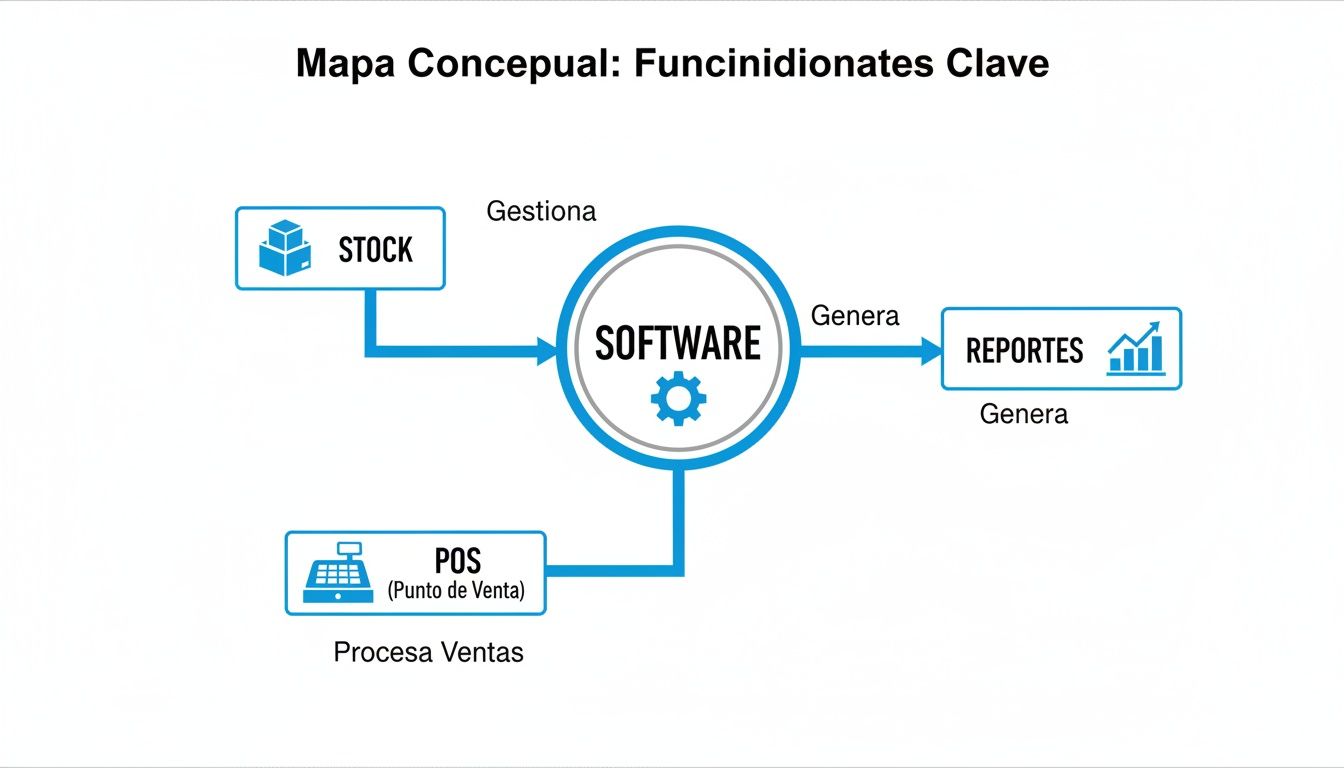
As you can see, stock control, reporting, and integration with the point of sale (POS) are pillars that support one another. To have a broader perspective when choosing, it is worth reviewing how different compared management systems position themselves in the current market.
An all-in-one system that already integrates POS, inventory, and CRM, like Swirvle, greatly simplifies operations because it saves you the headache of syncing tools that don't talk to each other. Taking a look at Swirvle's pricing plans can give you a very clear idea of the total cost without surprises at the end of the month.
Step-by-step implementation of your new inventory system
Adopting a new inventory software is a big step, but it doesn't have to be a headache. The key to success lies in having a clear plan and following it orderly. If you do it right, the transition will be so smooth you'll barely notice, but the benefits will be felt from day one.

Think of this not as a technical issue, but as building a solid foundation for your business to be more efficient and earn more. Let's break the process down into manageable phases so you and your team feel in control at all times.
Data preparation and cleanup
Before moving a single piece of data to the new system, there is a mandatory stop: organizing and cleaning the information you already have. This is, without debate, the most important step. If you put messy or incorrect data into the software, all you will achieve is automating the chaos.
Imagine you have a barbershop. Before starting, take a moment to decide how you will name your products. Will it be "Strong Hold Hair Wax" or "Str. Hold Wax"? That consistency is pure gold, because it will prevent duplicate products and ensure your future reports are reliable.
Initial load and the first major count
With your product data cleaned and standardized, it's time to roll up your sleeves and perform the first major physical count. This initial inventory is the "snapshot" your new system will start with. There are no shortcuts here; accuracy is everything. If you need a more in-depth guide, we explain how to do a product inventory on our blog.
The initial data load is ground zero for your new management. A conscientious physical count ensures that the information your software starts with is a true mirror of your business's reality.
Setup and team training
Once the data is in, the next step is to adjust the software so it speaks the same language as your business. This is where you set the rules of the game:
Minimum stock alerts: Define when you want the system to warn you. For example, in a car wash, it could be when only 5 gallons of shampoo with wax are left.
Categories and suppliers: Organize everything logically. Create categories like "Drinks," "Desserts," or "Cleaning Supplies" and assign each product to its supplier.
User permissions: Decide who can do what. Perhaps the cashier only records sales, but the manager has access to place orders.
At the same time, training is crucial. Everyone, from the barista who deducts a coffee from stock to the manager who analyzes sales reports, needs to know how to use the tool in their day-to-day operations.
Launch and constant monitoring
The moment of truth has arrived: "turning on" the system. During the first few days, it is critical to closely monitor how everything is working. At the end of each day, perform some random checks to verify that the system's theoretical stock matches what is in your warehouse. It is normal for small discrepancies to appear at first; the key is to correct them quickly so your data remains accurate.
This methodical approach is achieving incredible things in Mexico. The Fill Rate (the ability to satisfy orders with available inventory) has jumped from 91% to 97%. This major advancement is partly because 71% of Mexican SMBs already use AI-powered software to anticipate demand and optimize operations, reducing their operational costs by 15% to 25%.
Answering your questions about inventory software
Making an informed decision about the technology that will manage the heart of your business is essential. That's why we have gathered the questions we hear most from SMB and franchise owners like you, with clear and direct answers designed for day-to-day operations.
Is my business too small for inventory software?
Not at all. In fact, it is one of the most strategic decisions you can make when starting out. Implementing a management system from the beginning sets the foundation for orderly growth and protects you from bad habits that later become expensive and hard to eliminate.
Believing that these tools are only "for the big players" is a myth that holds back many businesses. Think of a small coffee shop: with a system like this, it can know exactly how many coffee beans to buy to avoid running out of its star product without having excess that goes to waste. It is control and profitability from day one.
Which integration is more important: POS or accounting?
Integration with the Point of Sale (POS) is, without a doubt, priority number one. Every sale you record at your register is stock leaving. If these two systems do not communicate in real time, your stock numbers will be pure fantasy, and you will rely on manual counts that are a constant source of errors.
A platform born with POS and inventory integrated solves this problem at its root. The information flow is instantaneous and seamless: every sales ticket updates your stock automatically. Simple as that.
Does it work if I sell in-store and also online?
Absolutely. In fact, it is almost a necessity. Good inventory software unifies stock across all your channels. Imagine a barbershop that sells its waxes and oils both in-store and on its website. Without a centralized system, it runs the risk of selling a product online that just ran out in-store, creating a terrible customer experience.
What you need is a solution that manages multichannel inventory. This syncs information instantly, prevents failed sales, and projects a professional, consistent image no matter where your customer buys from.
How long does it take to implement?
For an SMB, whether it's a car wash, a salon, or a store, the process can take from a few days to a couple of weeks. Interestingly, the time depends less on technology and more on how organized your product catalog is and how accurately you perform the first physical count.
Software designed to be easy to use and a support team that guides you through every step can shorten this time significantly. Good prior planning is key to making the transition faster and easier than you think.
At Swirvle, we know these concerns because we designed our all-in-one platform with them in mind. We natively integrate POS, CRM, and inventory so that SMBs in LATAM have a solid foundation to grow from the start. Discover how we can give you total control of your business at https://swirvlehub.com.
New frequently asked question
Can I start with Excel and migrate later?
Yes. Start with the tracking template and migrate when volume, shifts, or errors demand it. Export/arrange SKUs before loading to the software or POS.
Related Blogs

Oct 18, 2026
How to Create a WhatsApp Business Catalog to Sell More: 2026 Guide

Oct 17, 2026
How to set up quick replies in WhatsApp Business?

Oct 16, 2026
Can fake Google reviews be removed and how do you request it?
Oct 15, 2026
What are WhatsApp Business labels used for and how do you use them?

Oct 14, 2026
How to do a cash register closure step-by-step in a small business?

Oct 13, 2026
How to respond to a negative Google review without losing customers: The BLUF Guide